

DataMonitor screenshots (4)

Description DataMonitor
A Quiet Morning, a Sudden Alert
You're reviewing a project budget on your phone when a discreet notification appears. It's not a calendar reminder or a social media ping—it's a concise summary of your primary mobile data usage for the week, with a projection that you'll exceed your plan's limit by Thursday if your current trend continues. This preemptive alert, delivered without fanfare, is the core function of DataMonitor. It transforms your mobile data from an invisible, often costly resource into a tangible, manageable metric, preventing bill shocks and the frustration of throttled speeds.
Features and Core Mechanics
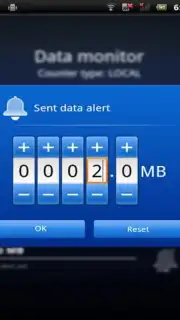
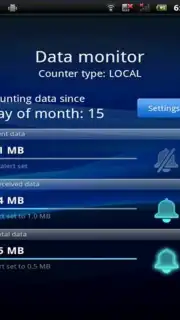
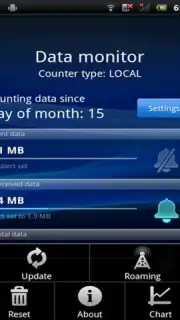
DataMonitor operates as a background utility with a focused dashboard. Upon granting the necessary permissions, it begins tracking data consumption across all applications and system services. The interface typically segregates usage by Wi-Fi and mobile networks, with further breakdowns available per app. A central feature is the ability to set custom usage limits and billing cycle dates, which the application uses to calculate daily allowances and generate forecasts. Alerts are configurable, allowing users to receive warnings at specific percentage thresholds of their total data limit. For users on shared or family plans, some versions of the utility may offer basic profile management to monitor multiple lines from a single device, providing an aggregate and individual view of data expenditure.
Key Operational Advantages
- Proactive Consumption Alerts: The system generates warnings based on usage trends, not just static thresholds, allowing for behavioral adjustment before limits are breached.
- Granular, Application-Level Tracking: View detailed breakdowns of data usage by individual app, identifying potential background data hogs or streaming services consuming the most bandwidth.
- Clean, Information-Dense Interface: Presents complex usage statistics and projections through minimalist charts and progress bars, prioritizing clarity and immediate comprehension over decorative elements.
- Minimal System Impact: Designed to run efficiently in the background with negligible battery drain, functioning as a set-and-forget utility that only surfaces information when necessary.
We suggest trying DataMonitor if you actively manage a limited data plan or simply wish to gain precise insight into your device's network consumption patterns.
Download mobile app now.
Heads up: you'll need wifi for initial setup and for viewing detailed historical reports. Some advanced features, like multi-line plan management, may require a subscription or be carrier-dependent.
Information
| Version | 6.00.03 |
| Developer | Sony Mobile Communications |
| Updated | 17.03.2026 |
| Size | 1.04 MB |
| Package | com.sonyericsson.android.datamonitor |
| Signature | 9e5b0111e0408bb405c819ea0784b69d |


