


Decoration Keyboard screenshots (9)
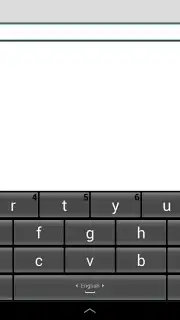
Description Decoration Keyboard
Struggling with Bland Texting and Typing Errors? A Keyboard That Adapts to You
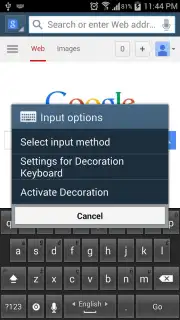
The standard smartphone keyboard is a tool of necessity, not pleasure. Its static design and functional approach often lead to a disjointed experience—tiny keys cause mis-taps, autocorrect creates embarrassing errors, and the visual monotony does nothing to enhance your digital conversations. This gap between basic utility and personalized expression is where the Decoration Keyboard for Android positions itself. It is not merely an alternative input method; it is a comprehensive typing environment engineered to address core frustrations while introducing a layer of aesthetic customization directly into your daily communication. The application functions by replacing your default keyboard system-wide, offering granular control over the tactile, auditory, and visual aspects of typing, all while maintaining a strong emphasis on linguistic accuracy and cross-device compatibility.
A Detailed Examination of Core Mechanics and Customization
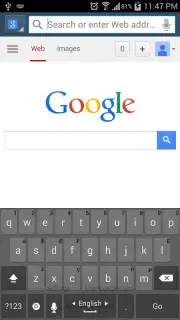
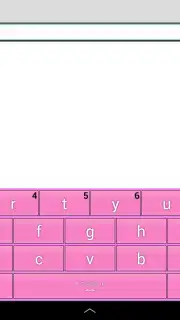
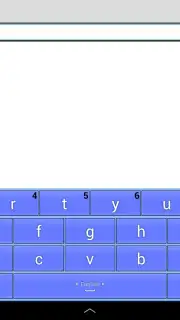
The initial setup follows the standard Android protocol for third-party keyboards, requiring activation in the system settings and permissions for full functionality. Once enabled, the interface presents a clear departure from the stock experience. The keys are notably larger and more generously spaced, a deliberate design choice that reduces finger crowding and increases tap accuracy, particularly during rapid typing sessions. Beyond the baseline layout, the application provides an extensive settings panel where every sensory feedback element can be tuned. Users can select from a range of keypress sounds—from subtle clicks to more distinct tones—or adjust the haptic vibration feedback’s duration and intensity, creating a tactile profile that matches personal preference. A particularly useful feature for precision is the ability to toggle key-press preview labels on or off, allowing for a cleaner look or added confirmation of your selection.
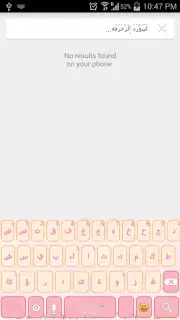
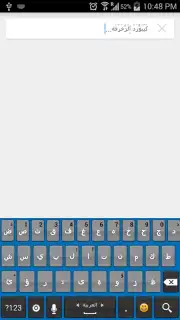
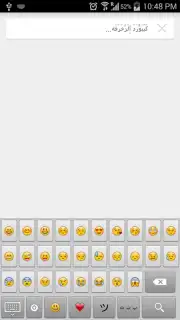
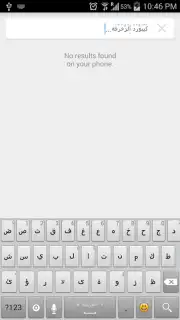
The intelligence of the keyboard extends into its linguistic processing. As you type, a suggestion bar dynamically offers word completions and spelling corrections. This system is not just reactive but aims to preempt common errors, learning from your frequent phrases to improve prediction accuracy over time. This core typing engine is then augmented by the app's namesake feature: decorative fonts. The system automatically applies stylish, yet highly readable, embellishments to letters as you type, supporting both Latin-based scripts like English and Spanish, and right-to-left scripts like Arabic. This transformation happens in real-time, allowing decorated text to be sent directly into any messaging or social media app without requiring copy-paste from a separate generator.
Critical Feature Breakdown: Beyond Aesthetics
- Precision-Tuned Typing Interface: Features deliberately oversized keys and adjustable spacing to minimize mis-taps, paired with fully customizable auditory click sounds and haptic vibration feedback settings for a tailored tactile experience.
- Intelligent Multilingual Text Engine: Provides real-time spelling correction and word prediction across over 40 language layouts, with automatic application of decorative font styles to both Latin and Arabic alphabets as you type.
- Universal Android Device Compatibility: Ensures a consistent, optimized layout and full feature set across a wide range of screen sizes, from compact 3-inch smartphone displays up to 10-inch Android tablet screens.
The scope of the Decoration Keyboard is genuinely global, with dedicated layouts and dictionaries for over 40 languages, including English, Arabic, French, Spanish, German, and many regional dialects. This makes it a practical tool for multilingual users or those communicating internationally. Regarding permissions, upon installation, Android will display a standard security warning about the keyboard potentially collecting typed data, including sensitive information like passwords. This is a generic system notification for all third-party keyboards, as they require 'Input Method' access to function. The developer, NatchCenter.com, states the keyboard focuses on local processing for predictions and does not transmit personal typing data to external servers. For users seeking an ad-free experience with potentially accelerated performance, the app offers an optional "Turbo" upgrade via a one-time in-app purchase.
Download the Decoration Keyboard app now to transform your typing—this is a limited introductory offer for new users, granting exclusive early access to all premium decorative styles and the enhanced Turbo mode at no initial cost.
Heads up: you'll need wifi for the initial download and language pack updates. Some of the cooler decorative theme packs and the permanent ad-free Turbo mode are optional extras.
Information
| Version | 5.1 |
| Developer | NatchCenter.com |
| Requirements | Android Android + 4.0.3, 4.0.4+ |
| Updated | 17.03.2026 |
| Size | 11.13 MB |
| Package | natchcenter.com.dkeyboard |
| Signature | db4c3bd33d659b626a16c0638a9f66b8 |
| Architecture | armeabi, armeabi-v7a, mips, x86, arm64-v8a, mips64, x86_64 |


