

DeskRoll Remote Desktop screenshots (6)
Description DeskRoll Remote Desktop
Imagine Your Entire Computer, Right in Your Pocket
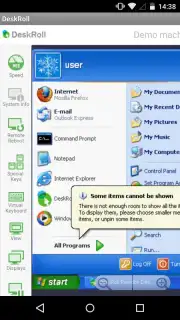
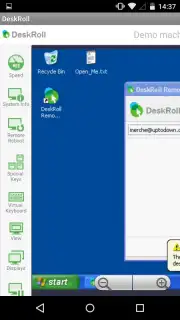
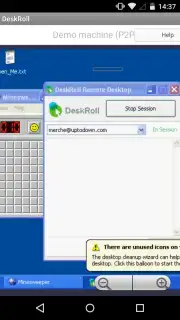
Picture this: you’re away from your desk, maybe at a café or a client’s office, when you realize you need that one crucial file. The presentation draft, the financial spreadsheet, the family photos—it’s all sitting on your home PC. That sinking feeling of being stranded without your digital life is completely frustrating. But what if you could simply reach into your pocket, tap your phone, and have your full desktop appear instantly? That’s the reality DeskRoll Remote Desktop creates. It transforms your smartphone into a universal remote control for your digital world, letting you step into your computer from anywhere, as if you were sitting right in front of it.
This isn't just about viewing a screen; it's about full, seamless control. DeskRoll Remote Desktop gives you the power to run programs, edit documents, manage files, and access every single piece of data on your remote machine. The connection is so responsive it feels like magic, turning any location into your personal workstation. Just ensure your computer is powered on and connected to the internet, and the rest is effortless. The application uses advanced technology to deliver a smooth, high-quality visual stream of your desktop, making even complex tasks feel natural on a mobile device.
Your Office, Unchained from Your Desk
The genius of DeskRoll lies in its intuitive design. You interact with your remote PC using natural touch gestures—tap to click, double-tap, drag, and scroll—exactly mimicking the actions of a physical mouse. Need to type? Your smartphone's keyboard becomes a full-fledged input device, allowing you to write emails, code, or enter data directly. It’s the complete desktop experience, distilled into the device you always have with you.
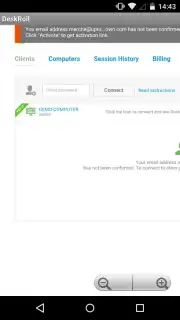
But the freedom doesn't stop at one computer. DeskRoll understands modern life often involves multiple machines. Perhaps you have a powerful desktop at home and a laptop for work. This app lets you add and securely store connections to all of them in one clean, organized list. Switching between your home gaming rig, your office workstation, or a family member's PC for quick support is as simple as selecting a contact from your phonebook. No more frantic trips back home or anxious calls to colleagues; your entire digital ecosystem is under your command.
- True Remote Control: Operate your PC in real-time—open applications, manage files, and run processes just like you’re there.
- Intuitive Touch & Type: Use familiar touch gestures for mouse control and your phone’s keyboard for seamless typing.
- Multi-Computer Hub: Securely connect and switch between an unlimited number of computers from a single, unified interface.
- High-Performance Streaming: Experience a fluid, clear view of your desktop with optimized data transfer for responsiveness.
- Universal Access: Retrieve any file, document, or piece of information from your remote computer in seconds, from anywhere.
Stop being tethered to one location. Unlock the full potential of your devices and reclaim your productivity and peace of mind. For a limited time, new users are getting prioritized access to our premium Turbo features for enhanced speed and clarity. This exclusive offer won't last!
Download the DeskRoll Remote Desktop mobile app now and turn your smartphone into the most powerful tool you own.
Heads up: You'll need a stable Wi-Fi or mobile data connection for the best remote access experience. Remember to keep your host computer powered on. Some advanced features and the Turbo performance mode are part of our premium offering.
Information
| Version | 0.7 |
| Developer | Tomsk Inc. |
| Requirements | Android Android + 3.2+ |
| Updated | 17.03.2026 |
| Size | 22.8 KB |
| Package | com.deskroll.client1 |
| Signature | 45ab1e18d69c7b8696c42d1e6d5a18ea |


