


Device Clone screenshots (5)

Description Device Clone
What if you could instantly duplicate your smart home's perfect settings to a new device?
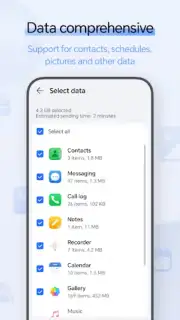
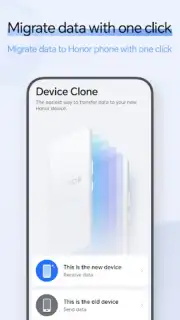
Transferring configurations, routines, and preferences between smart home devices is often a tedious, manual process that can take hours. Device Clone addresses this core frustration directly. It functions as a dedicated system utility that creates a complete backup profile of one Android device's home automation settings, which can then be seamlessly deployed to another. This is not a simple file copy tool; it intelligently maps settings and connections for a wide ecosystem of smart lights, thermostats, security cameras, and voice assistants, ensuring your new device mirrors the operational state of the old one from the first boot. The process is designed to be agnostic, aiming for broad compatibility across the Android smart home landscape to reduce setup redundancy.
Core Mechanics and Feature Set
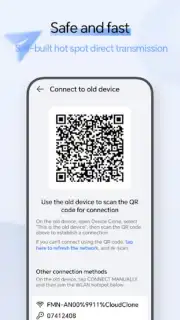
The application operates through a straightforward, two-device process. You designate a source device—your currently configured tablet or phone—and a target, which is typically a new or factory-reset device. Device Clone initiates a secure, local Wi-Fi Direct connection to transfer the compiled profile data packet. The cloning profile encompasses system-level home automation app data, saved Wi-Fi networks for smart hubs, and even widget placements on the home screen for quick control access. A key technical aspect is its non-invasive handling of secure data; it facilitates the transfer of access tokens and relational links for your smart devices without compromising or exposing primary account passwords, relying on the target device's subsequent authentication with the original cloud services.
Key Advantages and User Experience
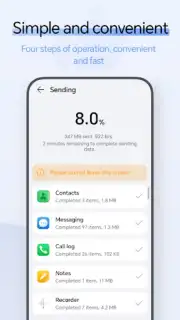
The primary strength of Device Clone lies in its profound time-saving utility and reduction of setup complexity. For users upgrading their primary control device or standardizing settings across multiple household tablets, it eliminates the need to manually log into a dozen different apps and re-pair each individual smart plug or bulb. The interface is deliberately minimal and guided, with clear visual indicators for each transfer stage, minimizing user error. Performance is focused on reliability over speed, with integrity checks run on the cloned profile to flag any potential compatibility issues before finalization, ensuring the new device is immediately functional within your existing smart home network.
- Complete Smart Home Profile Migration transfers linked devices, app configurations, and control shortcuts in one operation.
- Local Wi-Fi Direct Transfer ensures fast, secure data movement without consuming cloud storage or internet bandwidth.
- Broad Ecosystem Compatibility aims to work with popular smart home platforms and generic IoT device standards.
- Configuration Integrity Verification runs diagnostic checks on the cloned settings package for stability.
- Minimalist, Guided Interface provides a clear step-by-step process suitable for non-technical users.
Consider downloading Device Clone to eliminate the repetitive setup work when integrating a new control device into your automated home. It transforms a multi-hour chore into a process measured in minutes.
Internet required for initial app download and device authentication. IAP available.
Information
| Version | 160.1.0.706 |
| Developer | Honor Device Co., Ltd. |
| Requirements | Android Android + 5.0+ |
| Updated | 17.03.2026 |
| Size | 24.53 MB |
| Package | com.hihonor.android.clone |
| Signature | 6b4c3b09f3f29723450f5e06a6d7cfba |
| Architecture | arm64-v8a |


