

Digital Clock Widget screenshots (7)
Description Digital Clock Widget
Transform Your Android Home Screen with a High-Definition Digital Clock Widget
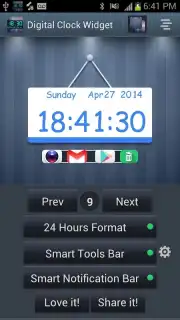
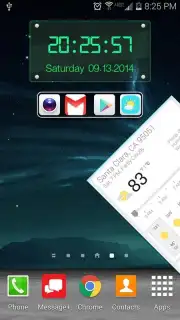
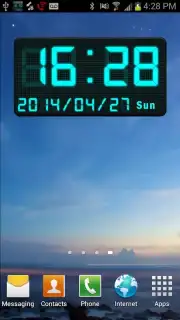
Upgrade your device's interface with a fully customizable digital clock widget designed for clarity, utility, and style. This application delivers more than just the time; it provides a centralized control panel for your most frequent tasks directly from your home screen. Engineered for seamless performance across various Android screen sizes and resolutions, it ensures a crisp HD or Full HD display that integrates smoothly without lag or visual clutter. The core experience is built around deep personalization, allowing you to tailor time formats, widget aesthetics, and smart shortcuts to match your daily workflow.
Core Functionality and Smart Features
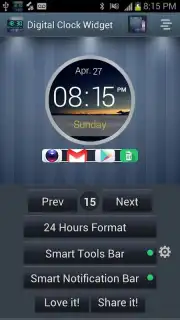
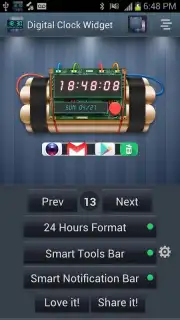
The widget suite offers 15 distinct visual styles, ranging from minimalist digital readouts to vibrant LED-inspired designs. Each style supports configurable detail levels, including an optional seconds display for precision. Format switching between 12-hour and 24-hour time standards is handled instantly through the settings panel.
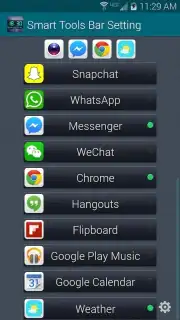
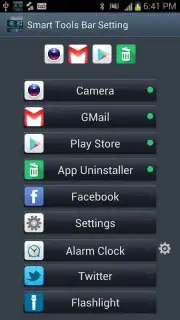
Beyond timekeeping, the app integrates a configurable Smart Tools Panel. This utility hub lets you pin up to four application shortcuts for one-tap access to tools like a built-in flashlight, instant messaging apps, or a direct weather search. The panel works in tandem with a dedicated notification smart bar, which can be toggled on or off to maintain a clean home screen. Additional utility modules include a direct application uninstaller for managing apps and support for integration with popular third-party alarm and weather applications, pulling data directly to your widget display.
Customization and Setup Process
Setup is streamlined for immediate use. Adding a widget to your home screen follows standard Android procedures, with an in-app guidance video available for reference. You maintain full control over which elements are visible, allowing you to hide the Smart Tools Panel or notification bar as desired. The customization menu provides granular control over widget appearance and linked functions, enabling combinations like a digital clock with live weather data or a standalone date display.
- 15 high-definition clock styles
- Configurable smart tools panel
- Integrated utility shortcuts
- Support for weather/alarm apps
Download the Mobile App Now
Get your bonus of enhanced home screen efficiency and streamlined access to your essential tools. Install Digital Clock Widget today to claim your visual and functional advantage.
Heads up: you'll need wifi for initial setup and for weather data features. Some cool styles and advanced smart panel configurations are part of the extra customization options.
Information
| Version | 1.0.6 |
| Developer | Super Droid Studio |
| Requirements | Android Android + 3.0.x+ |
| Updated | 17.03.2026 |
| Size | 7.69 MB |
| Package | com.superdroid.digitalclockwidget |
| Signature | a531153f7d4b4eaf57e93dbc07ec80f3 |


