


DiskDigger screenshots (10)
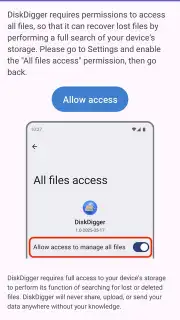

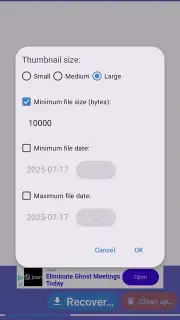



Description DiskDigger
Your Deleted Photos Aren't Gone Forever
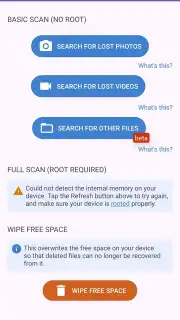
Imagine accidentally deleting a precious photo, a vital document, or a memorable video, and believing it's lost for good. That sinking feeling is all too common, but it doesn't have to be the end of the story. DiskDigger for Android is engineered specifically to dive deep into your device's memory and retrieve what you thought was erased. This powerful tool operates without requiring complex root access, offering a straightforward lifeline for your lost files directly from your smartphone or tablet's internal storage and SD card.
How DiskDigger Works to Recover Your Files
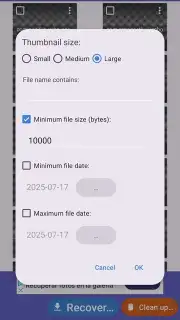
The process begins with a simple scan. You navigate the clean interface to select the storage location where your files once resided—be it your main device memory or an external card. Initiating the scan prompts DiskDigger to meticulously sift through the digital remnants, searching for recoverable data. The duration of this scan is directly tied to the storage capacity and the volume of data being analyzed, ensuring a thorough search for your specific items. While a root-free operation provides immediate convenience, enabling a scan of cache and thumbnail data for recently deleted images, granting root permissions unlocks a deeper, more comprehensive search. This advanced access allows the tool to locate older or system-hidden files that a standard scan might miss, significantly broadening your recovery potential.
Unlocking Advanced Recovery Capabilities
The free version of DiskDigger provides essential recovery for JPG and PNG image formats, a valuable tool for common photo loss. However, upgrading to the Pro version transforms it into a complete data recovery suite. This premium access expands the search parameters far beyond basic images, enabling you to hunt for a wide array of file types that the standard scan cannot touch.
- Multimedia Recovery: Locate and restore video files in MP4 and MOV formats, as well as various audio files.
- Document Retrieval: Find important PDFs, Office documents (like Word and Excel files), and archived ZIP folders.
- Professional & System Files: Recover high-quality RAW images from cameras and even APK application files.
- Enhanced Scanning: The Pro version utilizes more powerful scanning algorithms for a higher success rate in locating fragmented or overwritten data.
- Ad-Free Experience: Enjoy an uninterrupted, focused recovery process without any advertisements.
- Batch Operations: Select and restore multiple files at once, saving considerable time and effort.
This tiered system ensures you have a powerful, free option for basic needs, with a clear path to professional-grade recovery tools for more serious data loss scenarios.
Claim Your Exclusive Access to Data Recovery Today
Don't wait for your next accidental deletion to leave you scrambling. Secure DiskDigger now and turn your device into a powerful recovery tool. For a limited time, new users can explore the enhanced capabilities of the Pro features with exclusive introductory access. Download the mobile app now and transform how you handle digital loss—your files are waiting to be found.
Download DiskDigger for Android now!
Heads up: A stable Wi-Fi connection is recommended for downloading the application and accessing certain support features. The core recovery scanning works directly on your device. Some advanced features and the full range of file format support require the Pro upgrade. Root access is optional but enables deeper scans for maximum recovery potential.
Information
| Version | 1.0-2025-10-05 |
| Developer | Defiant Technologies, LLC |
| Requirements | Android Android + 6.0+ |
| Updated | 17.03.2026 |
| Size | 5.76 MB |
| Package | com.defianttech.diskdigger |
| Signature | 889ef5ba4411c86ee3e2650c7576f38f |
| Architecture | universal |


