

DiskUsage screenshots (3)
Description DiskUsage
A Clear Map for Your Device's Storage
Every device eventually faces the same critical issue: storage filling up with no clear explanation. DiskUsage provides the definitive visual analysis tool, transforming abstract capacity bars into an interactive, navigable map of your files and folders. This application directly addresses the frustration of managing storage by revealing exactly what occupies space, down to the individual file level.
Core Analytical Mechanics
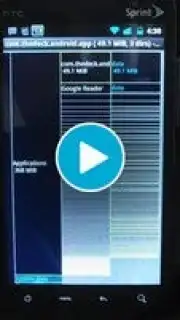
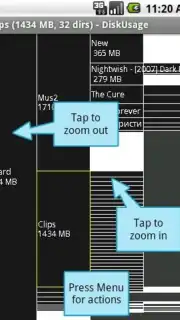
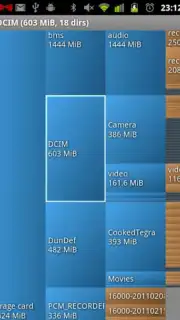
DiskUsage operates by performing a comprehensive scan of your device's internal storage and connected SD cards. It does not simply list files by size; it generates a visual treemap, where each rectangle's area is proportional to the size of the file or directory it represents. This spatial representation allows for immediate identification of the largest space consumers. The primary interaction involves drilling down through this map: tapping on a block zooms into that specific directory, letting you navigate your storage hierarchy visually to locate bulky cache files, forgotten downloads, or redundant media collections that text-based file managers often obscure.
Key Functional Advantages
- Interactive Treemap Visualization: Navigate storage using a multi-colored block diagram where size equals file size, enabling instant visual identification of the largest data clusters without reading lists.
- Detailed File & Category Breakdown: View storage consumption categorized by file type (Apps, Images, Videos, Audio, Documents) and inspect the precise size of every folder and file within each segment.
- Direct Management Actions: Long-press any file or folder block within the visualizer to immediately access standard system actions for deletion, sharing, or viewing file properties, linking analysis directly to cleanup.
The utility of DiskUsage lies in its uncompromising focus on clarity and actionable data. The interface is purpose-built, avoiding unnecessary graphical flourishes to prioritize fast scanning and rendering of the storage map. Performance is optimized for quick analysis, even on devices with deeply nested directory structures or nearly full storage. It serves as a diagnostic tool first, providing the evidence needed to make informed decisions about what to keep, archive, or remove.
We suggest trying DiskUsage if you regularly encounter storage warnings or simply want to maintain a clear understanding of your device's content structure.
Download DiskUsage now.
Disclaimer: This application requires access to device storage to function and an internet connection may be used for optional functions. It contains no in-app purchases. Please be aware that managing system files requires careful attention. Data usage depends on your interaction with the app. Suitable for all ages.
Information
| Version | 4.0.2 |
| Developer | Ivan Volosyuk |
| Requirements | Android Android + 8.0+ |
| Updated | 17.03.2026 |
| Size | 181.5 KB |
| Package | com.google.android.diskusage |
| Signature | 5a37f27bdd447f69f64361e1b81185b3 |
| Architecture | universal |


