

DJ Basic - DJ Player screenshots (3)
Description DJ Basic - DJ Player
A Practical Solution for On-the-Go Mixing
For mobile users seeking a straightforward path to music mixing without navigating complex professional software, DJ Basic - DJ Player presents a focused utility. It addresses the need for immediate, tactile control over audio tracks directly from an Android device, stripping away the extensive toolbars and deep menus common in other applications. This review examines its operational mechanics, interface design, and core functionality as a portable mixing tool.
Core Functionality and Interface Design
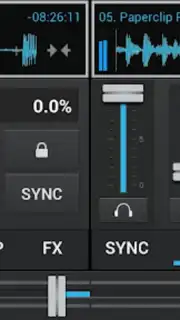
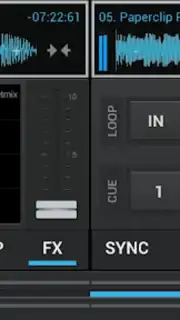
The application operates on a principle of minimalism, providing a two-deck mixing environment that is activated by selecting two audio files from the device's local storage. The interface employs a distinct layout that consolidates primary controls—such as playback, tempo sliders, and a crossfader—within a single view, reducing the need for navigation. Visual feedback is provided through a signal meter that displays audio levels and waveform activity, offering basic visual guidance for beat matching. The absence of embedded advertising in its core operation is noted, with potential extended features governed by a separate system module.
Analysis of Features and Output
DJ Basic - DJ Player is engineered for rapid composition rather than detailed audio manipulation. Its toolset is intentionally limited to essential functions, facilitating the creation of continuous mixes through manual adjustment of pitch and timing. The audio engine processes the input signals to maintain clarity during playback and crossfading, though it does not include advanced effects or recording suites. This makes the application a specialized tool for practicing fundamental mixing techniques or for creating simple blends outside of a studio environment.
- Two-Deck Mixing Setup: Load and control two audio tracks simultaneously with independent pitch and volume adjustment.
- Simplified Visual Feedback: Monitor audio levels and basic waveform activity through an integrated signal display.
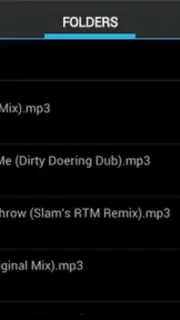
- Direct File Access: Import and mix music directly from local device storage without cloud dependency.
Get your bonus of ad-free basic mixing and start creating mixes today.
Internet required. IAP available.
Information
| Version | 0.4.7 |
| Developer | Angel Arias |
| Updated | 17.03.2026 |
| Size | 2.29 MB |
| Package | com.adj |
| Signature | e46ecd8f683b29b3552248b45ec07601 |
| Architecture | armeabi, armeabi-v7a |


