

DJI Ronin screenshots (5)
Description DJI Ronin
What if your smartphone could deliver the cinematic stability of a professional gimbal?
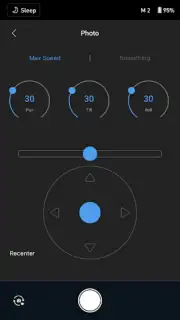
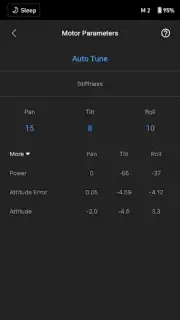
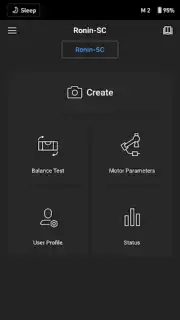
The DJI Ronin mobile application transforms compatible Android devices into a centralized command hub for DJI's Ronin series of camera stabilizers. It is not a standalone photography app, but a dedicated control interface designed for filmmakers and videographers using hardware like the Ronin-S, SC, or RS series. The core mechanic revolves around wireless connectivity, typically via Bluetooth, allowing users to adjust motor strength, calibrate the gimbal, set movement parameters, and control camera functions remotely from their phone's screen. This eliminates the need for constant physical interaction with the gimbal itself, enabling smoother operation and more complex shot planning.
Features and Core Functionality
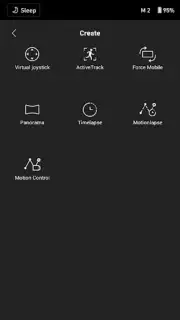
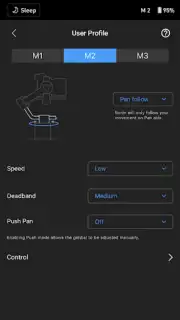
The app provides granular control over the gimbal's behavior and the attached camera. Users can access multiple operational modes, such as Pan Follow, Pan and Tilt Follow, and FPV mode, which are configured directly through the intuitive mobile interface. A key feature is the ability to create and execute complex camera moves using the app's motion timeline. Here, users can program a sequence of movements—including slides, tilts, and pans—by setting keyframes for the gimbal's position over time. The gimbal then replicates this move with precise, repeatable motion. Furthermore, the app offers detailed system status updates, firmware management for the gimbal, and a virtual joystick for manual control when the physical controls are inaccessible.
Key Advantages for Professional Workflows
The primary advantage is the democratization of advanced cinematic techniques. By moving the control suite to a large, familiar touchscreen, the app makes intricate gimbal programming more accessible than using only the physical buttons and wheels on the device itself. The wireless operation is a significant practical benefit, allowing the operator to frame shots, start recordings, or adjust settings from a distance, which is crucial for solo shooters or when the gimbal is mounted in hard-to-reach places. The interface is logically organized, presenting a wealth of professional settings without overwhelming clutter, focusing on functionality that directly impacts shot quality and operational efficiency.
- Wireless gimbal control and calibration
- Programmable motion timelapse and trajectories
- Multiple pre-set stabilization follow modes
- Direct camera parameter and recording control
- System diagnostics and firmware updates
- Customizable button and wheel mapping
Limited Offer: Unlock Professional Control Today
For a limited time, users who download the DJI Ronin app gain exclusive access to the latest firmware features and stabilization algorithms for their compatible gimbal. This is the essential tool to fully unleash the potential of your DJI stabilizer. Download the mobile app now and transform your filmmaking workflow today.
Disclaimer: This application requires a compatible DJI Ronin-series gimbal hardware device to function. A persistent internet connection may be necessary for initial setup, firmware updates, and access to certain features. The app may contain in-app purchases for additional features or content. Use of this app and connected hardware should comply with all local laws and regulations. Data usage fees may apply. Please check device compatibility on the official DJI website before installation.
Information
| Version | 2.1.2 |
| Developer | DJI TECHNOLOGY CO., LTD |
| Requirements | Android Android + 8.1+ |
| Updated | 17.03.2026 |
| Size | 104.06 MB |
| Package | com.dji.ronin |
| Signature | 1fe72ecb36d7d44aa2b53de11881bf38 |
| Architecture | armeabi-v7a, arm64-v8a |


