

dodol File Explorer screenshots (6)
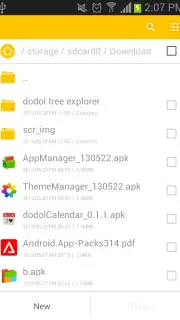
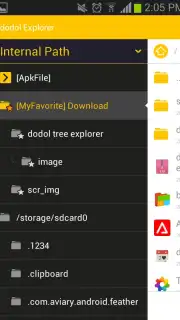
Description dodol File Explorer
Tired of Android File Chaos? This App Brings Windows-Style Order to Your Pocket.
Imagine having the power and clarity of your desktop's file explorer, right in the palm of your hand. That’s the immediate feeling you get with dodol File Explorer. It transforms the often-confusing storage on your Android device into a logical, visual landscape you can navigate with confidence. No more guessing where things are saved or struggling with clunky menus. This app hands you the master key to your device's entire digital filing cabinet, from the deepest system folders to your portable SD card, all presented in a beautifully familiar tree-style layout. It’s the control panel your phone has been missing.
Your Phone’s Storage, Finally Made Simple and Powerful
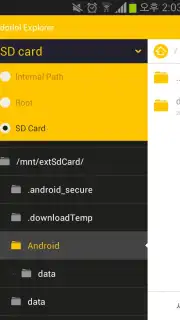
dodol File Explorer is built on a simple, powerful idea: managing your files should be intuitive, not a chore. The cornerstone is that classic Windows Explorer folder tree view. You’ll see your device's structure expand and collapse just like on a computer, giving you a crystal-clear map of where everything lives. This isn’t just about viewing files—it’s about commanding them. You’re put in direct control with seamless actions for every task you need.
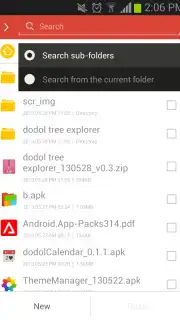
Beyond basic navigation, the app supercharges your daily workflow. You can pin your most-used folders to a custom favorites menu for one-tap access, slashing the time you spend digging through directories. When you need to find something specific, the powerful search function digs through every corner of your storage. Whether you’re hunting for a downloaded APK, a buried document, or a specific photo, it delivers comprehensive results instantly. And for managing groups of files, the multi-select tool is a game-changer, letting you copy, move, or archive dozens of items in a single, smooth action.
Why Your Phone Needs This File Manager Today
- Familiar Desktop-Style Browsing: Navigate with the intuitive expandable folder tree you already know from Windows Explorer. No learning curve, just instant clarity.
- Complete Storage Access: Gain seamless entry to internal memory, external SD cards, and even root directories. It’s unified access to every storage space on your device.
- Turbo-Charged, Ad-Free Experience: Enjoy a clean, fast interface completely uninterrupted by ads. The Turbo benefits mean smoother performance and zero distractions.
- Advanced File Search: Deploy a powerful search tool that locates any file type, including APKs and documents, across your entire device’s storage in seconds.
- Custom Favorites Menu: Build your own speed-dial menu for folders. Your frequent projects, download folders, or photo libraries are always just one tap away.
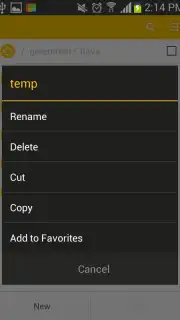
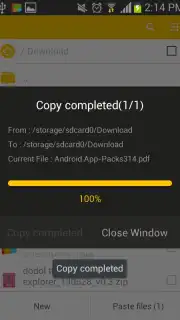
- Efficient Multi-File Management: Select multiple files and folders at once to copy, move, cut, paste, send, or delete in bulk. Manage large file collections effortlessly.
- Built-in Archive Support: Directly create and extract ZIP archives from within the app. Compress files to save space or unpack downloads without needing another tool.
Download dodol File Explorer Now – Claim Your Exclusive Ad-Free Access!
This is the file management upgrade your Android device has been waiting for. For a limited time, new users can experience the full, turbo-powered version. Don’t settle for confusing, ad-cluttered file managers. Take control with the tool that brings desktop-grade power to your mobile life. Click to install dodol File Explorer and organize your digital world today!
Heads up: You'll need an active internet connection for initial app functionality and updates. The app requires standard storage permissions to manage your files. Some advanced features may require specific device permissions or configurations.
Information
| Version | 1.30 |
| Developer | Camp Mobile for dodol theme |
| Requirements | Android Android + 2.2.x+ |
| Updated | 17.03.2026 |
| Size | 1.22 MB |
| Package | com.campmobile.android.dodolfileexplorer |
| Signature | fee039b574585ed4d5fd92c75c9ed10c |
| Architecture | universal |


