

dodol Keyboard screenshots (7)




Description dodol Keyboard
A Tool for Every Tongue
In a digital landscape where communication is global, the standard keyboard on your Android device often feels limiting. It’s built for a single language, a single layout, leaving multilingual users and customization enthusiasts to juggle between apps or settle for a generic experience. The dodol Keyboard enters this space not as a mere replacement, but as a comprehensive input platform engineered to dissolve these barriers. It transforms the fundamental act of typing from a functional task into a personalized, efficient, and linguistically inclusive interaction. This review examines its mechanics, from core input methods to deep aesthetic customization, to determine its utility for a diverse user base.
Core Functionality and Input Architecture
The foundation of dodol Keyboard is its extensive linguistic framework. It supports a wide array of languages including English, Thai, Indonesian, Arabic, Korean, Japanese, and Chinese, among others. This is not a superficial add-on; the keyboard integrates proper input methods and dictionaries for each, enabling accurate prediction and autocorrection tailored to the linguistic rules of the selected language. The technical implementation allows for seamless switching between these languages without lag or configuration conflicts, which is critical for users who communicate in multiple tongues daily.
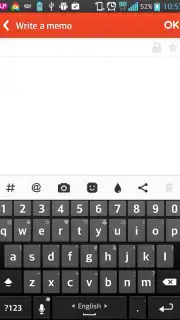
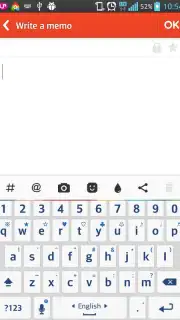
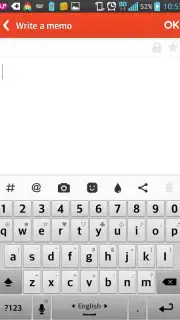
Beyond language support, the keyboard offers structural versatility through its layout options. The five-column layout is a notable feature, as it intelligently incorporates a numeric keypad or directional arrow keys within the standard letter grid, eliminating the need to switch modes for number entry or text navigation. For users who prefer typing with two thumbs on larger screens, the split-layout mode is available, redistributing the keys to the sides of the display for more ergonomic use. Furthermore, it maintains full compatibility with hardware keyboards, enhancing its utility for tablet users or those who employ their Android device with a physical keyboard dock, supporting advanced input techniques like primary and short vowel entry.
Deep Customization and Thematic Integration
Where dodol Keyboard significantly diverges from stock options is in its profound customization capacity. The visual and operational interface is entirely malleable. Users can adjust key size, spacing, and even the overall keyboard height to suit their touch accuracy and hand size. This level of control is complemented by a vast theming ecosystem powered by integration with BeautyPlay. This provides access to thousands of professionally designed and user-generated themes, ranging from minimalist color blocks to animated, character-driven designs. The application allows you to not just apply a static background but to fundamentally alter the key shapes, fonts, and feedback animations, ensuring the keyboard is a true reflection of personal style.
The customization extends to functional aesthetics. You can set different themes for different applications or times of day, and the process is designed to be intuitive, with a built-in theme store and preview function. The absence of advertisements within the keyboard interface, a feature highlighted in its promotional 'Turbo' benefits, ensures that this personalized experience remains uninterrupted. The result is a tool that remains functionally fresh and engaging, encouraging regular use not out of necessity, but out of preference for its tailored environment.
User Experience and Evolutionary Development
The setup and daily operation of dodol Keyboard are streamlined for accessibility. The initial configuration wizard clearly guides users through enabling the keyboard in system settings, selecting primary languages, and choosing a preferred layout. Navigation within the app's settings is logically categorized, separating input preferences from visual themes and advanced tools. As a free application, it provides substantial flexibility without immediate paywalls, allowing users to explore its core capabilities fully. The development cycle appears active, with version updates historically focusing on adding language packs, refining prediction algorithms, and expanding theme library integrations, suggesting a roadmap aligned with user feedback and evolving mobile input standards.
- Multilingual Input Engine: Supports precise typing in English, Thai, Arabic, Korean, Japanese, Chinese, and dozens more languages with native input methods.
- Adaptive Layout System: Features a versatile five-column layout with integrated number pad and a ergonomic split-mode for comfortable thumb typing.
- Unlimited Thematic Library: Offers thousands of customizable themes via BeautyPlay integration, allowing complete visual control over key design and animations.
Download this mobile app now and permanently upgrade your device's typing interface. Stop compromising with a basic keyboard and install the tool built for global, personalized communication today.
A stable internet connection may be required for initial theme downloads and updates. The application is free to use and may offer optional in-app purchases for premium thematic content or advanced feature packs.
Information
| Version | 1.86 |
| Developer | dodol.com |
| Requirements | Android Android + 4.1, 4.1.1+ |
| Updated | 17.03.2026 |
| Size | 11.76 MB |
| Package | com.fiberthemax.OpQ2keyboard |
| Signature | 0de5925c3682fb525512dd4009429735 |
| Architecture | arm64-v8a |


