

DotDash Keyboard screenshots (1)
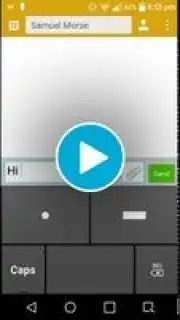
Description DotDash Keyboard
A New Input Method for Modern Devices
Imagine typing efficiently on any Android device, regardless of screen size or processing power. DotDash Keyboard redefines text input by implementing the Morse code system as a functional, minimalist keyboard. It serves as a direct replacement for your default Android keyboard, transforming the traditional QWERTY layout into a streamlined interface built around three core keys: dot, dash, and space. This design eliminates visual clutter and processing overhead, offering a compatible typing solution for a wide range of hardware. The input logic is procedural and consistent: you form letters by entering their specific Morse code sequences, confirm each character with a single spacebar tap, and insert word spaces with a double-tap on the same key. For editing, dedicated Shift and Delete keys provide control over capitalization and character removal.
Functional Architecture and System Integration
The keyboard operates as an independent input service. After installation, activation is required through your device's system settings under 'Language & Keyboard' or 'Virtual Keyboards,' as it does not appear in the standard app drawer. Once enabled, you can switch between DotDash Keyboard and your default keyboard at any time using the 'Choose input method' option in the notification shade. The interface includes a swipe-up gesture from the keyboard area to access a built-in Morse code reference chart, providing immediate lookup for character sequences. For punctuation and special characters, extended Morse code groups are utilized, with full specifications available on the project's dedicated GitHub page. The current version prioritizes tactile and visual input, omitting time-based input modes and audio feedback features sometimes associated with traditional radio operation, ensuring stable performance across all device tiers.
- Three-key minimalist input interface
- Integrated Morse code reference guide
- Direct system-level keyboard replacement
Detailed Input Protocol and Customization
The typing process follows a precise, rule-based protocol. Each alphabetic character is created by tapping its unique combination of dot (.) and dash (-) keys. A subsequent single press of the spacebar finalizes and inserts that letter into your text field. To separate words, you perform a rapid double-press of the spacebar. The Delete key functions contextually: a short press deletes the currently composing character, while a hold action erases the last fully confirmed letter. For text navigation, the sequence dot-dash-dot-dash (.-.-) is programmed to act as an alternative Enter or Return key command. This consistent grammar for text construction, deletion, and command execution allows for accurate composition independent of your device's processing speed. The project welcomes user contribution; bug reports and feature suggestions can be submitted to support the platform's iterative development.
Do not settle for a keyboard that slows down your older device or wastes screen space. Experience a fundamentally different and efficient way to communicate. Download DotDash Keyboard now and activate it in your settings today!
Requires Android OS and an internet connection for initial download. The app integrates as a system input method.
Information
| Version | 1.2.1 |
| Developer | Aaron Wells |
| Requirements | Android Android + 1.6+ |
| Updated | 17.03.2026 |
| Size | 88.55 KB |
| Package | net.iowaline.dotdash |
| Signature | 724af18af885b441c6c4ce0123e88156 |
| Architecture | universal |




