

Download Manager Android screenshots (8)

Description Download Manager Android
A Closer Look at Download Management on Android
Managing downloads on a mobile device often involves juggling between a browser, a file manager, and a media player. The Download Manager Android app by Renkmobil Bilisim consolidates these functions into a single interface, positioning itself as a multi-tool for handling files directly from the device. This review examines its operational mechanics and integrated features to assess its utility beyond basic download queuing.
Core Functionality and Integrated Tools
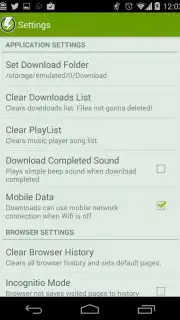
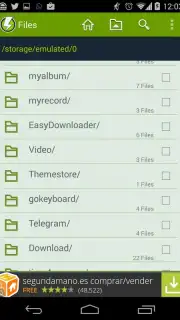
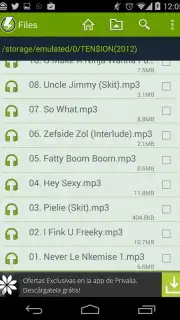
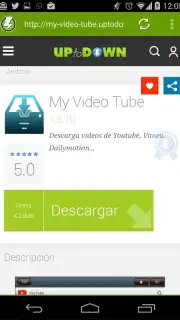
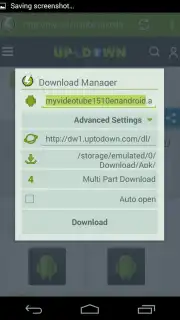
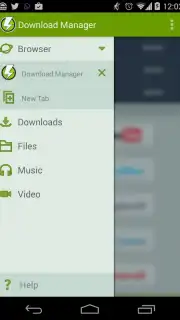
The application operates on a dual-panel interface. The primary workspace is a dedicated download manager with support for pausing and resuming transfers, a critical feature for managing large files or unstable connections. Adjacent to this is a built-in file browser, accessible from a side menu, which allows for direct navigation of the device's storage directories. This browser includes basic media playback capabilities for audio and video files, as well as image viewing, eliminating the immediate need to switch to another app to access downloaded content. Furthermore, the app incorporates a simplified web browser, designed explicitly for initiating downloads from websites, streamlining the process of capturing files from the internet.
Detailed Feature Breakdown
- Advanced download controls with pause, resume, and queue management for transfers.
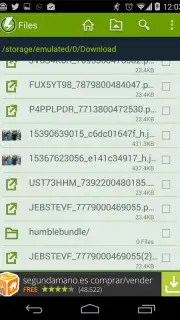
- Integrated file manager for browsing device storage and organizing downloaded content.
- Built-in media player supporting direct playback of audio and video files within the app.
- Dedicated in-app web browser optimized for discovering and initiating file downloads.
- Ad-free experience with a claimed Turbo mode to potentially accelerate download speeds.
The utility of this application lies in its consolidation of separate workflows. For users who frequently download various file types, the ability to manage, view, and organize from one environment reduces application switching. The inclusion of a purpose-built browser, while basic, is a functional addition that circumvents the limitations of some system download handlers.
We suggest trying Download Manager Android if your routine involves regular file acquisition and local management on your device. Consider downloading it to evaluate its integrated approach to handling these interconnected tasks.
Disclaimer: This application requires an active internet connection for download functionality. It may request permissions to access device storage for file management. The developer mentions an optional "Turbo" mode; the technical specifics and impact of this feature are not independently verified. Data usage depends entirely on the files you download. Always ensure you have the right to download and possess any content.
Information
| Version | 5.10.14010 |
| Developer | Renkmobil Bilisim |
| Requirements | Android Android + 4.4+ |
| Updated | 17.03.2026 |
| Size | 8.33 MB |
| Package | com.tt.android.dm.view |
| Signature | 6b046d7e2b5769d1761d434b376495e5 |
| Architecture | universal |


