

Drony screenshots (17)
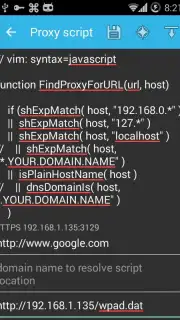
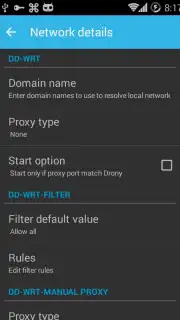
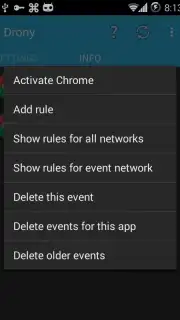
Description Drony
Ever feel like your connection is being watched or blocked?
You try to access a simple website or app, and suddenly you're met with a frustrating wall. Public Wi-Fi feels risky, and your own network sometimes seems to have invisible limits. What if you could fly right over those digital barriers with complete control? Drony gives you the power to redirect your device's internet traffic through a proxy, putting you back in the pilot's seat of your own connectivity. It's a sophisticated tool designed for those moments when you need a workaround, offering a layer of configuration that typical browsers and apps simply don't provide.
Take command of your network traffic
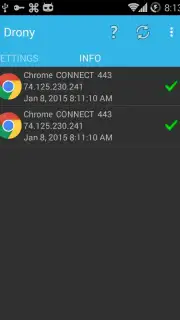
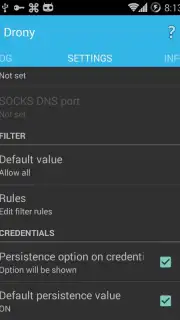
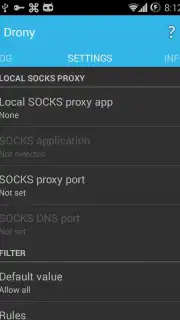
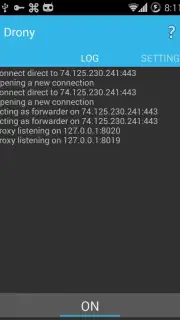
Drony operates as a local proxy server on your Android device, intercepting and rerouting connection requests before they leave your phone. You configure which apps send their traffic through Drony and which connect directly, allowing for precise management. The app can use various proxy types, including SOCKS, HTTPS, and SSH, to tunnel your data. This setup is invaluable for testing app behavior under different network conditions, bypassing restrictive firewalls on local networks, or adding an extra configuration step for privacy. The interface presents you with a log of all connection attempts, giving you a clear, real-time map of your device's network activity, which apps are talking, and where they're trying to go.
Why this tool stands out in your digital toolkit
Drony isn't about providing a one-click VPN service; it's about offering granular, technical control. The experience is built for those who want to understand and manipulate their network flow, not just hide it. You get a transparent, detailed look at your connections paired with the powerful ability to redirect them on a per-app basis. The setup requires some technical understanding, but the payoff is a level of network management typically reserved for developers and sysadmins, now accessible directly from your phone.
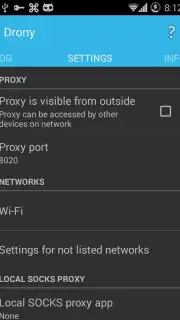
- Configure a local proxy server directly on your Android device for full traffic control.
- Route specific app traffic through proxies while letting others connect normally.
- Support for multiple proxy protocols including SOCKS, HTTPS, and SSH tunneling.
- Monitor a detailed, real-time log of all connection attempts from every application.
- Bypass network restrictions and firewalls on Wi-Fi or mobile data connections.
Gain the upper hand and navigate the web on your own terms. Download Drony now and start directing your digital traffic.
Heads up: you'll need Wi-Fi or mobile data for the app to function. Configuring proxies requires some technical knowledge for advanced features.
Information
| Version | 1.3.154 |
| Developer | sandrob |
| Requirements | Android Android + 4.1, 4.1.1+ |
| Updated | 17.03.2026 |
| Size | 8.97 MB |
| Package | org.sandroproxy.drony |
| Signature | 28e9e36340c2e91184f4e55e2bdc8c21 |
| Architecture | armeabi-v7a, x86, arm64-v8a, x86_64 |


