

DU Recorder screenshots (7)


Description DU Recorder
A Comprehensive Screen Recorder That Handles the Entire Workflow
DU Recorder establishes itself as a complete, integrated solution for Android screen capture, moving beyond simple recording to offer a full post-production suite within a remarkably lightweight application. This tool is engineered for users who require both high-fidelity capture and immediate editing capabilities without switching between disparate programs. The focus is on a seamless transition from recording to publishing, all managed within a single, efficient interface.
Core Functionality and Editing Precision
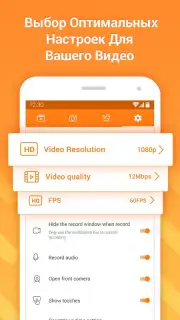
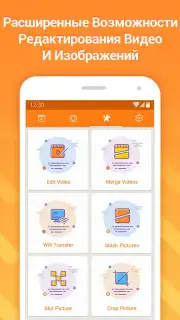
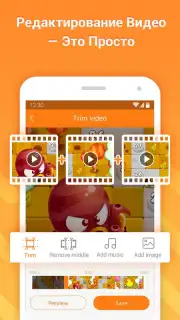
The application provides granular control over recording parameters, allowing users to tailor output to specific needs. You can configure video quality up to 12 Mbps, select a resolution up to 1080p, and adjust the frame rate up to 60 FPS for exceptionally smooth motion capture. A significant technical advantage is its ability to function without requiring root access on the device, simplifying the setup process and broadening compatibility. Once recording is complete, the integrated editor enables precise trimming and merging of clips, direct audio manipulation including background music integration and volume level adjustment, and offers multiple export paths—either to local storage or for immediate sharing across social media platforms.
Detailed Feature Analysis
- High-Bitrate Recording: Configure capture up to 12 Mbps and 60 FPS for professional-grade clarity and fluid motion in your screen videos.
- Non-Root Functionality: Achieve full-featured screen recording without the need for complex device modifications or root permissions.
- Integrated Audio Suite: Seamlessly add background music and finely tune audio levels within the video editor post-capture.
The absence of advertising in its core operation, particularly when utilizing its optimized modes, contributes to an uninterrupted creative process. The entire package, encompassing these robust recording and editing tools, is delivered in an application package of just about 4 MB, demonstrating exceptional code efficiency. This makes DU Recorder a powerful, yet unobtrusive, tool for creating tutorial content, capturing gameplay highlights, or documenting mobile workflows.
Start creating professional screen recordings today. Download the mobile app now and claim your editing advantage.
Heads up: you'll need wifi for optimal performance with high-quality uploads. Some advanced editing assets and features are available as extra in-app purchases.
Information
| Version | 2.4.8.4 |
| Developer | DU Recorder Team |
| Requirements | Android Android + 5.0+ |
| Updated | 17.03.2026 |
| Size | 34.26 MB |
| Package | com.duapps.recorder |
| Signature | bd3df198d50f0dafa3c5804d342d3698 |
| Architecture | armeabi, armeabi-v7a, x86, arm64-v8a, x86_64 |


