


Dumpster - Recycle Bin screenshots (6)
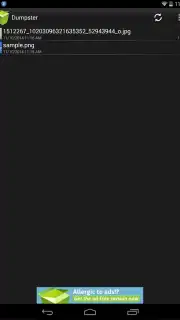
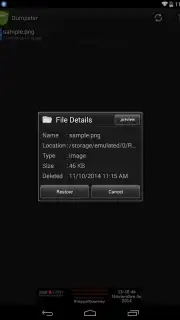
Description Dumpster - Recycle Bin
Ever Deleted a Precious Photo by Mistake? Your Digital Safety Net is Here.
Imagine this: you’re clearing space on your phone, swiping away files with confidence. Then, a sinking feeling hits. That video from your best friend’s wedding, the important document for work, or the perfect sunset photo you took—gone in an instant. That wave of panic is all too real. But what if you had a secret undo button for your entire phone? That’s exactly what Dumpster - Recycle Bin offers. It’s not just another utility; it’s your personal digital insurance policy, working silently in the background to catch every file you delete, giving you the freedom to manage your storage without fear.
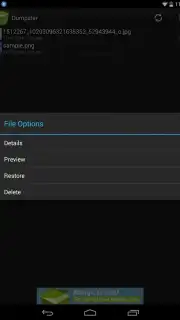
This clever app acts just like the Recycle Bin on your computer, a concept you already know and trust, but built specifically for your mobile life. It intercepts files the moment you delete them—whether it’s a photo, a song, a PDF, or a 4K video—and stores them securely in its own protected space. The magic happens when you need something back. No complex data recovery tools or hoping for a cloud backup. You simply open Dumpster, browse the familiar, clean interface, tap on the file you thought was lost forever, and hit restore. Within seconds, it’s back right where it belongs on your device, as if the mistake never happened. It’s the ultimate peace of mind for the digital age.
Why Your Phone Needs Dumpster - Recycle Bin
Beyond being a simple undo button, Dumpster is packed with thoughtful design and powerful features that make file management effortless and stress-free.
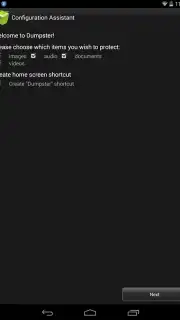
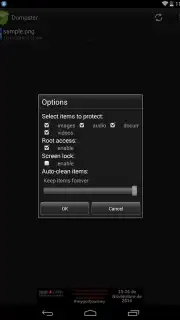
- Universal File Recovery: Instantly restore any deleted file type. Photos from your gallery, videos from your camera roll, audio files, documents, APKs—you name it. Dumpster safeguards them all in one organized place.
- Turbo-Powered, Ad-Free Experience: Unlock the Turbo feature to eliminate all advertisements and supercharge the app’s performance. Enjoy faster backups, smoother browsing, and a completely clean, uninterrupted experience focused solely on protecting your data.
- Intuitive & Pleasant Interface: Navigate with ease through a beautifully designed, user-friendly interface. Finding and managing your deleted files feels simple and straightforward, removing any technical intimidation.
- Instant One-Tap Restoration: The recovery process is breathtakingly simple. See a file you need? Tap on it, select ‘Restore,’ and watch it reappear on your device in mere moments. No waiting, no complicated steps.
- Secure Secondary Storage: Deleted files are moved to Dumpster’s secure storage, not permanently erased. This frees up space on your main storage while keeping your files within reach, providing a perfect balance between phone performance and data safety.
Don’t wait for the next accidental deletion to leave you scrambling. Thousands of users have already protected their memories and important files. For a limited time, experience premium data security with exclusive early access to features designed for our first users. Download Dumpster - Recycle Bin today and turn regret into relief!
Download mobile app now
Disclaimer: This app requires an internet connection for initial download and certain functions. Optional in-app purchases are available for the Turbo (ad-free) feature. This application is intended for users over the age of 4. Data charges may apply depending on your service plan. The developer is not responsible for data loss due to system-level formatting or uninstalling the app itself. Always maintain your own backups.
Information
| Version | 3.35.428.eb7f |
| Developer | Baloota |
| Requirements | Android Android + 6.0+ |
| Updated | 17.03.2026 |
| Size | 18.47 MB |
| Package | com.baloota.dumpster |
| Signature | 36af4288e0f57e0efc083d9637a1b107 |
| Architecture | armeabi-v7a, x86, arm64-v8a, x86_64 |


