

eBible screenshots (4)


Description eBible
A Practical Review of the eBible Mobile Application
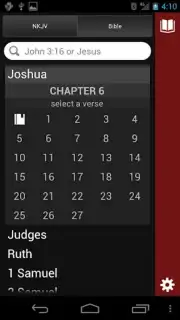
For users seeking a structured, feature-focused approach to scripture study on a mobile device, the eBible app presents a specific set of tools. The application’s core function is to provide portable access to a digital library of biblical texts. Its operational premise is straightforward: input a book, chapter, and verse to retrieve the text, with the added utility of an audio playback feature for hands-free listening. This review examines the application's mechanics and available resources without subjective endorsement.
Functional Capabilities and Library Access
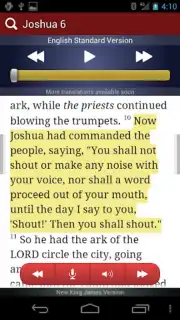
The application serves primarily as a repository and reader. It hosts a collection of over forty different Bible translations and supplemental religious texts, allowing for comparative study directly within the interface. Functionality extends beyond passive reading; users can highlight specific passages, save them for later reference, and attach personal notes to verses, creating a customizable study framework. A significant operational feature is account synchronization. By creating an eBible account, users can access their saved highlights, notes, and reading progress from any web browser on a desktop computer, effectively bridging mobile and desktop study sessions.
From a technical perspective, the application is distributed in two tiers. The standard version is supported by advertising. An optional in-app purchase, referred to as "Turbo," removes all advertising units and may provide access to additional premium features or translations not available in the base version. The interface is designed for clarity, prioritizing search speed and the organization of its substantial text library.
- Audio Verse Narration: Input any scripture reference to trigger a clear, automated audio reading of the text aloud.
- Multi-Translation Library: Access and cross-reference a digital collection spanning more than forty distinct Bible versions and related texts.
- Sync Across Devices: Use a single eBible account to seamlessly synchronize personal notes, highlights, and progress between mobile and desktop platforms.
Begin structuring your personal digital study routine with these tools. Download the eBible mobile app now to configure your library.
This application requires a stable internet connection for initial downloads, account synchronization, and certain features. The app contains optional in-app purchases for the "Turbo" subscription to remove advertisements and unlock premium content.
Information
| Version | 1.20.8 |
| Developer | Osprit |
| Requirements | Android Android + 4.0, 4.0.1, 4.0.2+ |
| Updated | 17.03.2026 |
| Size | 7.13 MB |
| Package | com.osprit.ebible |
| Signature | 6a9801f84cf1820f3f4fabca31565879 |


