

EGx File Manager screenshots (6)

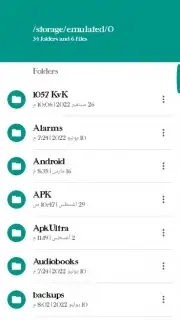
Description EGx File Manager
Navigating Local Storage Shouldn't Be a Puzzle
Managing files across internal storage, SD cards, and cloud services often requires multiple apps, leading to a fragmented and inefficient workflow. The EGx File Manager consolidates these operations into a single, unified interface, designed to handle the fundamental tasks of file organization, transfer, and analysis without unnecessary complexity.
Core Functionality and Analytical Overview
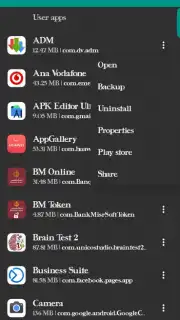
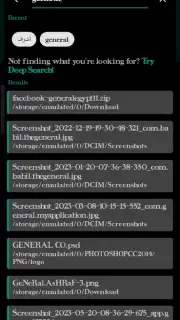
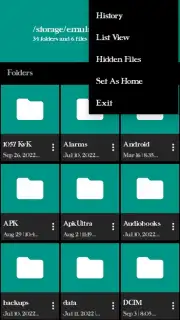
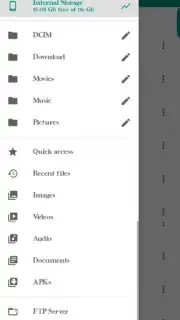
This tool provides a standard suite of file management operations with a focus on clear navigation and batch processing. The interface presents a directory tree view, allowing for direct manipulation of files and folders. Core mechanics include copy, cut, paste, delete, rename, and compress functions. A built-in search utility indexes filenames for rapid retrieval, while the storage analyzer component visually maps disk usage by file type and directory size, identifying space-consuming data. The app supports root directory access for advanced users, enabling modification of system files when permissions are granted, which carries inherent risk. File transfer protocols are handled through a dedicated module that manages Wi-Fi Direct and Bluetooth file sharing, displaying real-time transfer speed and remaining time.
Operational Advantages and User Experience
The utility's primary strength is its omission of intrusive advertisements and permissions requests for non-essential functions, resulting in an uninterrupted workflow. Performance is optimized for lower-specification hardware, maintaining responsiveness even when navigating directories containing thousands of items. The visual design employs a high-contrast, text-heavy layout that prioritizes information density and legibility over graphical flair, which may appeal to users seeking a utilitarian tool.
- Comprehensive Storage Analysis: Generate detailed visual reports to identify and manage large files and duplicate items.
- Dual-Pane File Operations: View and transfer content between two directories simultaneously for efficient organization.
- Integrated Archive Support: Directly create, extract, and browse ZIP and RAR archives without a secondary app.
Download the Mobile App Now
Gain immediate control over your device's storage and streamline your file management tasks. This is an exclusive utility offering ad-free core functionality for its initial user base.
Internet required. IAP available.
Information
| Version | 9.9.2023 |
| Developer | GeNeRal APPs |
| Requirements | Android Android + 4.4+ |
| Updated | 17.03.2026 |
| Size | 10.4 MB |
| Package | com.generalappstart.filemanager |
| Signature | 761a0c1f1fa2cbdb983991259de6ff56 |
| Architecture | armeabi-v7a, x86, arm64-v8a, x86_64 |


