

EnFile Manager screenshots (8)
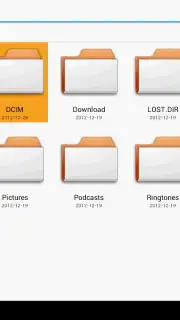
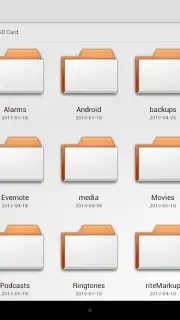
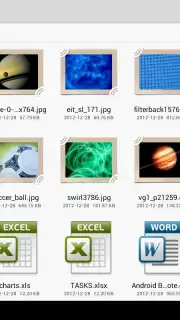
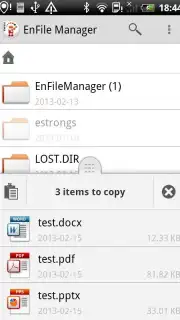
Description EnFile Manager
Effortlessly Organize Your Device's Internal Storage
Managing files across internal storage, SD cards, and cloud services often requires multiple, disjointed applications. This creates a fragmented workflow where locating a specific document, managing backups, or freeing up space becomes a time-consuming process. A unified file management solution is necessary to handle these tasks efficiently from a single interface.
Core File Management Tools and Functionality
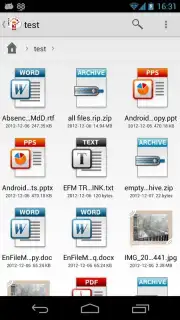
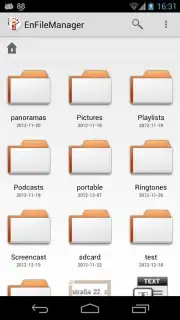
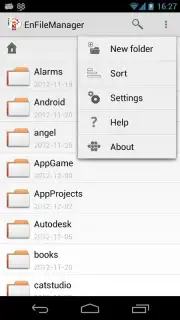
EnFile Manager provides a comprehensive suite for direct device and cloud storage management. The application features a dual-pane browser view, allowing for direct drag-and-drop operations between different storage locations, including local folders and connected cloud accounts. It includes a built-in archive utility supporting ZIP and RAR formats for compression and extraction without needing a separate app. For media, the app integrates a file viewer and player capable of handling documents, images, audio, and video files. A detailed storage analyzer visually maps space usage, identifying large files and redundant data. The tool also supports root directory access for advanced users, enabling management of system files and folders when permissions are granted.
Operational Advantages and User Experience
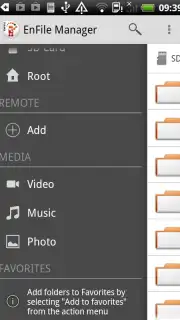
The interface is structured for clarity, with a main navigation drawer providing quick access to categorized files such as downloads, images, and recent documents. Performance is optimized for low-resource consumption, ensuring responsive operation even on legacy Android versions. File operations like copy, move, and delete are executed in a background queue, allowing for continuous use of the device. Security features include the ability to hide and encrypt private files using a local password, keeping sensitive data separate from general storage.
- Dual-Pane File Browser: Enables side-by-side folder navigation for efficient file transfers and comparisons.
- Integrated Cloud Storage Support: Connect and manage files from services like Google Drive and Dropbox in one unified location.
- Comprehensive Archive Handler: Create, extract, and browse compressed ZIP and RAR archives directly within the app.
- Storage Analyzer with Visual Map: Identifies space-hogging files and folders with a clear, graphical directory tree.
- Root Explorer Functionality: Grants advanced users full access to system directories for deep file management.
Get your files under control and optimize your device's storage today.
Download mobile app now
A stable internet connection is required for cloud services and app updates. The application may contain optional in-app purchases.
Information
| Version | 1.5 |
| Developer | Endava |
| Requirements | Android Android + 2.3.3, 2.3.4+ |
| Updated | 17.03.2026 |
| Size | 4.22 MB |
| Package | com.endava.enfilemanager |
| Signature | 49fbd324057242abc81427fa5ce3e7ba |
| Architecture | universal |


