


Exec Lua screenshots (11)
Description Exec Lua
A Complete Lua Scripting Environment for Android Development
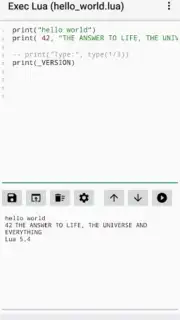
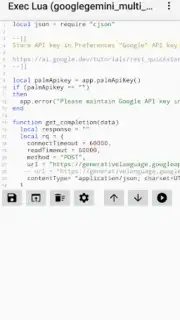
Exec Lua delivers a professional-grade scripting and development platform directly to your Android device. Built on the robust Lua Script Engine 5.4.1, this application transforms your phone or tablet into a portable workstation for writing, testing, and executing Lua code. It serves as a critical tool for developers, system administrators, and automation enthusiasts who require the flexibility to manage scripts, interact with web services, and prototype applications outside of a traditional desktop IDE.
Core Functionality and Development Tools
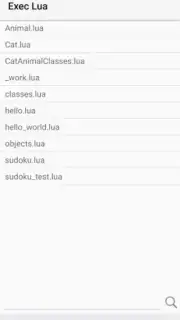
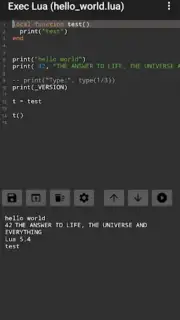
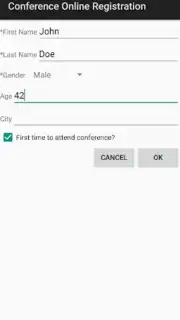
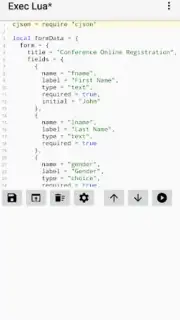
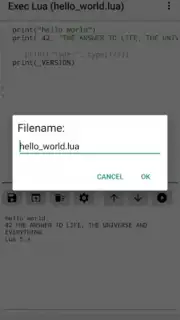
The application provides a comprehensive suite of features designed for practical, real-world scripting tasks. Its core is a dedicated code editor featuring syntax highlighting for improved code clarity and line numbering to facilitate precise debugging. A built-in file system allows for direct management of script projects, enabling you to save, open, and organize your work locally on the device. For advanced integrations, the environment supports the creation of JSON-based input forms for data handling and includes native clients for performing HTTP requests and connecting to REST APIs with support for GET, POST, and OAuth2 authentication flows.
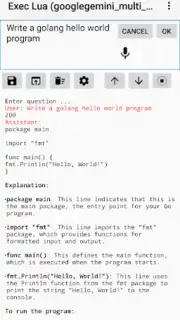
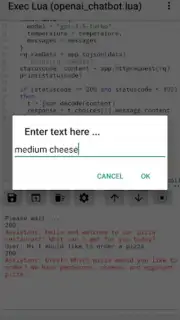
Beyond basic scripting, Exec Lua includes specialized modules for complex development scenarios. You can implement MQTT clients for real-time publish/subscribe messaging, generate and validate JWT tokens for secure API access, and design interactive scripts that utilize Android-specific features like pop-up notifications. The app also caters to modern development needs with included examples and utilities for interfacing with AI services, including tools for constructing OpenAI chat-bot queries and experimenting with GPT-3 prompt engineering directly from your mobile device.
- Advanced Code Editor: Features syntax highlighting and line numbering within a built-in file manager for local project organization.
- Network & API Integration: Execute HTTP/S requests, manage OAuth2 flows, and connect MQTT clients for IoT and real-time data.
- Android-Native Scripting: Create interactive scripts using JSON forms, system notifications, and dedicated utilities for JWT and AI services.
Optimized for Mobile Development Workflows
This environment is specifically engineered for the Android ecosystem, ensuring scripts can leverage mobile-specific capabilities. The toolset eliminates the need for constant context switching by allowing full development, execution, and debugging cycles to occur on a single device. Whether you are automating tasks, prototyping a backend integration, or testing API endpoints, the app provides a self-contained and ad-free coding experience. Its utility is further extended by a collection of practical sample scripts that demonstrate key functionalities, providing a concrete starting point for custom projects.
Download the Exec Lua APK now to deploy a powerful, portable scripting engine that handles everything from simple automation to complex web service integration. Install it immediately to begin coding directly on your Android device without compromises.
Heads up: you'll need wifi for most network-dependent features like HTTP requests and MQTT. Some advanced modules and examples are included as part of the extended package.
Information
| Version | 1.59 |
| Developer | Michael Lauer |
| Requirements | Android Android + 5.0+ |
| Updated | 17.03.2026 |
| Size | 3.8 MB |
| Package | de.mlauer.luatest |
| Signature | a1c2ee935cfe0fb290dde27931cea4b4 |
| Architecture | armeabi-v7a, arm64-v8a |


