

EZView screenshots (10)
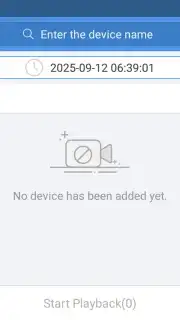
Description EZView
A Direct Line to Your Security Footage
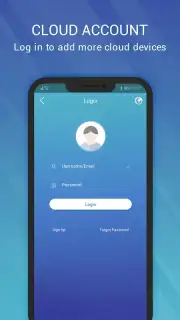
For users of Uniview security cameras, the primary challenge has often been accessing the live feed and recorded footage from a mobile device without relying on a complex desktop client or a web portal. The EZView application addresses this need directly, functioning as the official mobile control center for a range of Uniview surveillance products. It establishes a secure, dedicated connection between your smartphone and your installed camera network, whether that network is deployed at a residence, a small business, or a larger commercial site. This review examines the operational mechanics and feature set of EZView version 2.60.90, detailing how it translates hardware surveillance into a portable, manageable software interface.
Core Functionality and Feature Analysis
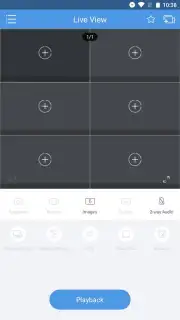
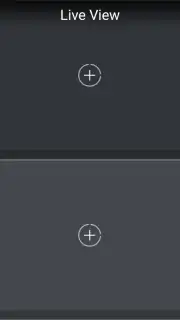
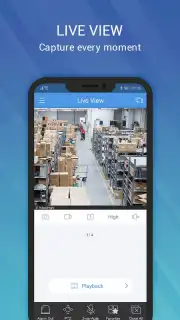
The application's architecture is built around three core pillars: real-time monitoring, historical playback, and intelligent alerting. Upon launching EZView and successfully authenticating, users are presented with a grid or list view of all configured cameras. The real-time streaming protocol is designed for clarity and low latency, providing a stable video feed that adjusts quality based on available bandwidth. This allows for a practical assessment of a monitored space without significant delay. A key operational feature is the one-tap switching between camera views, enabling a rapid survey of multiple angles or locations from a single dashboard, which is particularly useful for monitoring several areas in sequence.
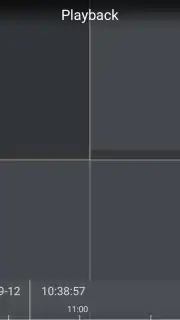
Beyond live viewing, the application provides full access to recorded footage stored on the camera's local SD card or connected network video recorder (NVR). The playback interface includes a timeline scrubber, allowing precise navigation to specific dates and times. This functionality is critical for reviewing past events, investigating incidents, or simply checking activity from a particular period. The system does not rely on a third-party cloud for this basic playback, instead pulling data directly from the user's own hardware, which can be a consideration for privacy and data control.
The notification engine within EZView is configurable and event-driven. Cameras with supported analytics (like motion detection or line crossing) can trigger instant push alerts to the mobile device. These alerts typically include a snapshot from the event, allowing for a quick visual assessment without needing to immediately open the live stream. This transforms the application from a passive viewing tool into an active monitoring system, prompting user engagement only when potential activity is detected, thereby conserving battery life and attention.
Detailed Application Advantages
- Stable Real-Time Monitoring: Delivers a continuous, low-latency video feed from connected Uniview cameras with support for multi-camera view switching.
- Comprehensive Playback System: Enables detailed review of recorded history via an intuitive timeline interface for precise event investigation.
- Configurable Instant Alerts: Provides push notifications with event snapshots based on camera analytics for proactive security management.
Get your surveillance system fully mobile and responsive. Download the EZView mobile app now to take direct control of your security feeds from anywhere.
Disclaimer: An active internet connection is required for remote camera access. Functionality is dependent on compatible Uniview hardware. The app may offer in-app purchases for additional cloud or advanced features.
Information
| Version | 2.60.90 |
| Developer | Zhejiang Uniview Technologies Co., Ltd. |
| Requirements | Android Android + 5.0+ |
| Updated | 17.03.2026 |
| Size | 55.81 MB |
| Package | com.uniview.app.smb.phone.en.ezview |
| Signature | 8cc4b33745e2f0d97f54162768ff6b81 |
| Architecture | armeabi-v7a, arm64-v8a |


