

Fake Chat Whatsapp screenshots (12)
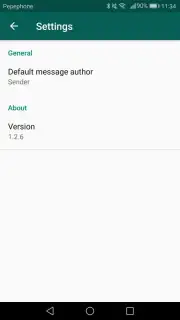
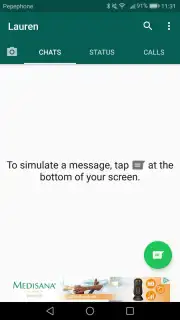
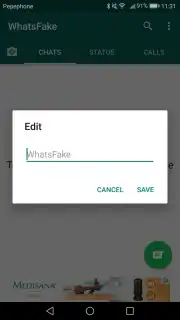
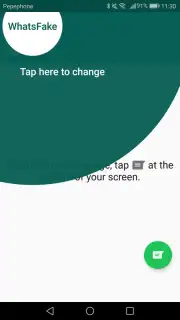

Description Fake Chat Whatsapp
Ever wanted to create a convincing WhatsApp conversation for a prank, a presentation, or just a bit of fun, but found the process too complicated? What if you could craft an entirely fake chat that looks indistinguishable from the real app, with complete control over every single detail?
Fake Chat Whatsapp transforms that idea into a seamless reality directly on your device. This application provides a fully-featured simulation environment where you can build a WhatsApp profile from the ground up. You gain the power to meticulously design every aspect of a chat history, allowing for scenarios that are limited only by your imagination. The core experience revolves around absolute customization and an impressive attention to detail that sells the illusion.
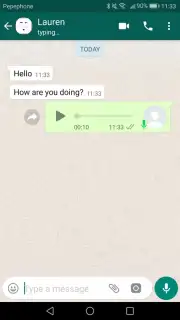
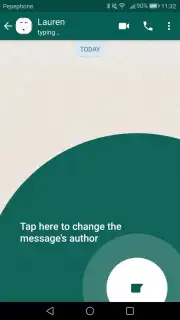
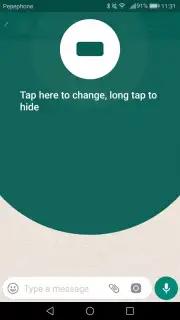
You start by constructing the foundation: a custom profile and contact list. This isn't just about changing names; it's about crafting identities. You assign specific profile pictures to each contact, creating a visual roster that perfectly matches your story. The real magic happens within the chat interface itself. You don't just type messages; you orchestrate entire conversations. You can write messages from any participant in the chat, controlling the narrative flow precisely.
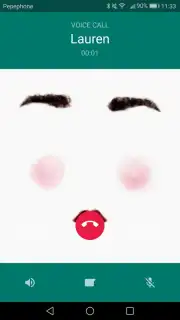
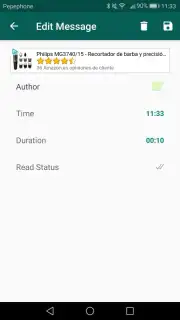
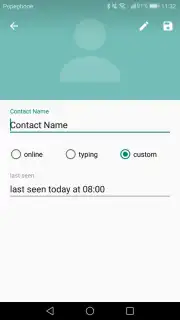
The application’s depth is shown in its simulation of WhatsApp's nuanced status indicators. You can manually set whether a message you've "sent" shows as delivered, read with blue ticks, or even viewed in a one-on-one chat. This level of control extends to simulating voice and video call logs within the chat history, adding another layer of authenticity. You can also edit the online/offline status and custom status messages of your contacts, ensuring the entire scenario remains consistent and believable from every angle.
Key Features at a Glance
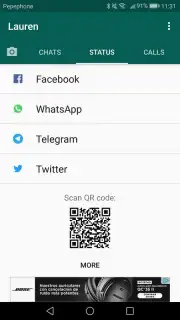
- Build a Complete Fake Profile: Create a standalone WhatsApp profile with a custom name, profile picture, and status, entirely separate from your real app.
- Full Contact List Customization: Add and edit contacts with personalized names and profile photos to populate your simulated chats.
- Total Chat History Control: Write both sides of any conversation, deciding exactly who says what and when.
- Realistic Message Status Simulation: Manually set messages to appear as "sent," "delivered," "read" (with blue checkmarks), or "viewed" for media.
- Simulate Calls & Status Updates: Log fake audio and video calls within chats and edit the online status and custom status messages of your contacts.
- Ad-Free Experience: Enjoy crafting your scenarios without disruptive advertisements interrupting the creative process.
The tool stands out for its straightforward, intuitive interface that makes this detailed fabrication process surprisingly simple. It delivers a highly realistic replica of WhatsApp's environment, providing a powerful and versatile platform for creating convincing screenshots or planning elaborate jokes. For anyone needing a persuasive and fully-customizable chat simulator, this application offers a comprehensive and effective solution.
Download Fake Chat Whatsapp now and start crafting your perfectly believable chat stories today! Get it immediately and unlock total control over your digital narratives.
Internet required. IAP available.
Information
| Version | 1.2.6 |
| Developer | Android |
| Requirements | Android Android + 4.0.3, 4.0.4+ |
| Updated | 17.03.2026 |
| Size | 7.91 MB |
| Package | com.aymenlotfi70.whatsfake |
| Signature | 18893224b7fdd8f9feeaad485e756af3 |
| Architecture | universal |




