

Fast Cleaner screenshots (6)
Description Fast Cleaner
A Practical Tool for Managing Android Performance and Storage
Android devices accumulate temporary files, residual data, and background processes over time, which can gradually impact performance and consume valuable storage. Fast Cleaner, developed by OPDA Appublish, provides a centralized suite of system maintenance utilities designed to address these common issues. This review examines its core functionalities as a tool for manual device optimization.
Core Functionality and Feature Analysis
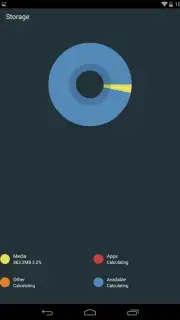
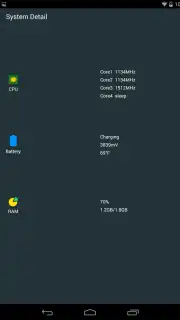
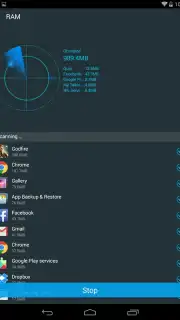
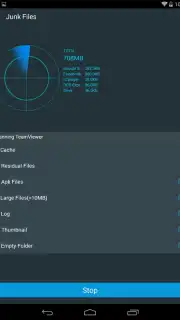
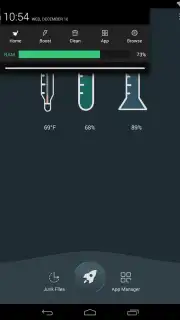
The application operates primarily as a diagnostic and cleanup utility, granting users direct access to several system areas. Its interface consolidates tools for clearing cached data from apps and system processes, which is a standard method for reclaiming storage without affecting personal data. A separate monitoring module displays real-time core temperature readings and RAM usage statistics, offering basic insight into device workload. For more direct intervention, the integrated task manager allows for the manual termination of background processes identified as non-essential, a function aimed at freeing up active memory.
Beyond memory management, Fast Cleaner includes tools for handling residual files and app data. The file sweeper function scans for leftover directories and files from previously uninstalled applications. Additional modules provide interfaces for batch-clearing browser history, call logs, and managing installed applications, including a standard uninstaller. The app promotes a subscription model, labeled 'Turbo', which reportedly removes advertising from the interface and may unlock enhanced scanning features, though the exact functional differences in the base version are not specified.
- Process and Cache Management: Manually terminate background tasks and clear application cache data to free RAM and storage.
- Residual File Cleanup: Scan for and remove leftover files and folders from uninstalled apps using the File Sweeper tool.
- System Monitoring and App Control: View real-time device temperature and manage all installed applications from a single interface.
Consider downloading Fast Cleaner for direct control over basic Android maintenance tasks. The toolset is straightforward for users familiar with manual system cleanup procedures.
Heads up: you'll need wifi for most features. Some cool stuff is extra.
Information
| Version | 3.3.3 |
| Developer | OPDA Appublish |
| Requirements | Android Android + 2.1.x+ |
| Updated | 17.03.2026 |
| Size | 2.67 MB |
| Package | cn.com.opda.android.clearmaster |
| Signature | 310a4f78e839b86df7731c2f48fcadae |
| Architecture | universal |


