

Fermata Auto screenshots (12)
Description Fermata Auto
A Comprehensive Review of Fermata Auto: Unlocking Full Media Playback for Android Auto
Fermata Auto, developed by Andrey Pavlenko, fundamentally redefines what is possible within the Android Auto environment. While the official platform restricts video playback for safety, this application provides a technical solution for passengers to access a full suite of multimedia content directly on the car's infotainment display. It operates as a versatile media hub, capable of handling local files, streaming services, and live broadcasts, effectively bypassing the standard limitations to create an in-vehicle entertainment system.
Core Functionality and Feature Analysis
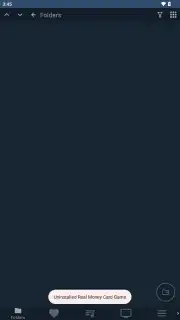
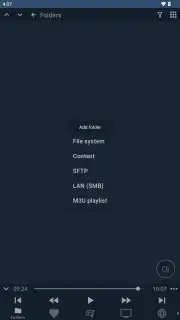
The application's primary strength lies in its extensive codec support and flexible source management. Unlike the standard Android Auto experience, Fermata Auto can decode and play virtually any audio or video file format. Users can load content from multiple origins: directly from the device's internal storage, via USB-connected flash drives or external HDDs, or even from network locations using SFTP or SMB protocols. Playback is sophisticated, featuring persistent memory of the last played position, a favorites system for quick access, dual-subtitle display for multilingual content, and granular playback speed control. The interface, while functional, is designed for clarity on a dashboard screen, prioritizing easy navigation while driving.
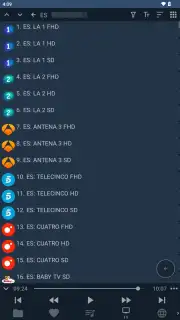
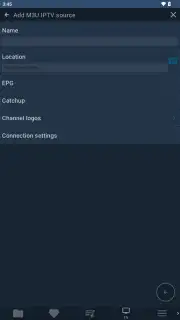
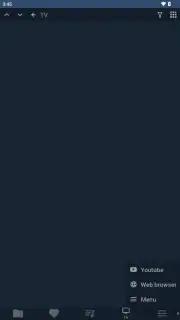
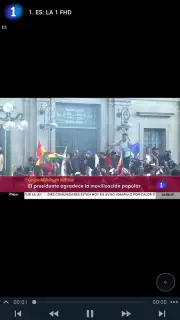
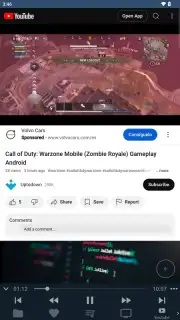
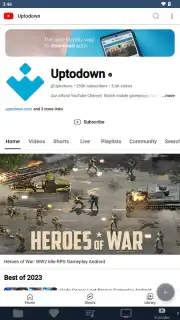
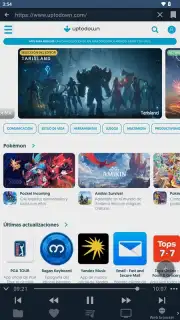
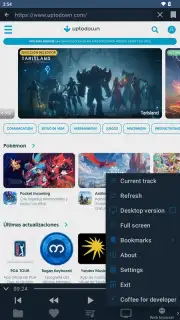
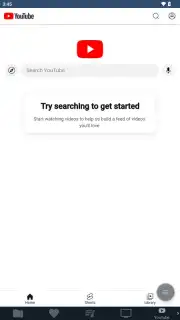
A significant upgrade is the integrated Turbo mode, which removes all advertising and unlocks the app's full potential. This transforms the utility into a comprehensive media center. It features a built-in IPTV client that can parse standard M3U playlist formats, allowing for the streaming of live television channels. The integrated YouTube player enables full-screen video playback without pre-roll or mid-roll advertisements. Furthermore, a basic web browser is included, permitting navigation to any webpage that supports mobile rendering, though this is best utilized when the vehicle is stationary.
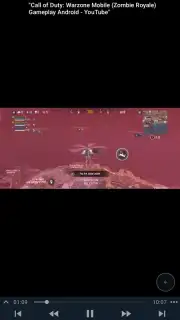
For ultimate flexibility, Fermata Auto includes a screen mirroring function. Once the necessary accessibility permissions are granted, this feature mirrors the entire display of your Android device onto the car's screen. This is particularly useful for accessing content from applications that are not natively compatible with Android Auto, allowing any app's video or audio output to be displayed in full-screen mode during travel.
- Universal Media Playback: Supports playback of local audio and video files from device storage, USB drives, or network shares.
- Integrated IPTV & YouTube Client: Stream live TV via M3U playlists and watch YouTube videos ad-free in full screen.
- Built-in Web Browser: Navigate and view web content directly through the car's infotainment system interface.
- Device Screen Mirroring: Project your entire Android phone screen to the car display for unrestricted app access.
- Advanced Playback Controls: Manage playback speed, save favorites, resume from last position, and use dual subtitles.
This application is a specialized tool for users seeking to maximize their in-car entertainment options within the Android Auto framework. It delivers a level of media access and control that the standard platform intentionally restricts.
Consider downloading Fermata Auto to transform your vehicle's infotainment system into a fully-featured multimedia center.
Download mobile app now.
Internet required for some features. IAP available for Turbo mode.
Information
| Version | 1.9.9 |
| Developer | Andrey Pavlenko |
| Requirements | Android Android + 6.0+ |
| Updated | 17.03.2026 |
| Size | 47.16 MB |
| Package | me.aap.fermata.auto.dear.google.why |
| Signature | 228c49b1b5c4e2cf22c684405bc1387f |
| Architecture | arm64-v8a |


