

File Expert screenshots (4)
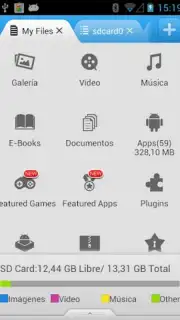
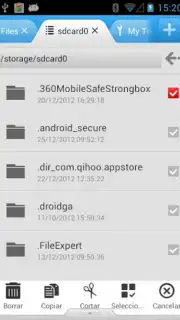
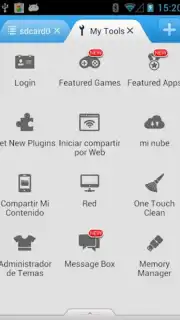
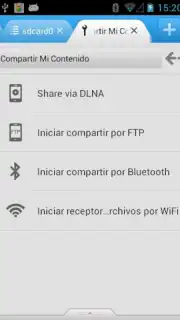
Description File Expert
A Comprehensive File Management Solution for Android
Managing files across a smartphone, computer, and cloud services often requires multiple applications, leading to a fragmented and inefficient workflow. File Expert consolidates these functions into a single utility, providing a unified platform for local file management, network transfers, and system maintenance. This review examines its core mechanics and feature set to assess its operational value for advanced users.
Core Functionality and Network Capabilities
File Expert operates as a multi-protocol file manager, with its most significant feature being the integrated wireless server. The application hosts both FTP and HTTP servers directly on the Android device. This transforms the phone into a wireless file hub, allowing any computer or other device on the same network to access its storage through a standard web browser or FTP client without cables. For outgoing connections, the app includes dedicated clients for SMB (Windows network shares), SFTP, FTP, and FTPS protocols. This bidirectional capability enables users to browse files on a remote PC or NAS from their smartphone, facilitating tasks like media retrieval or document backup without direct physical access to the computer, contingent on a stable Wi-Fi connection.
Beyond network operations, the application includes a dedicated App Manager. This tool provides detailed control over installed applications, allowing for batch operations, creation of APK backups, and direct uninstallation. The developer notes that for automated backup scheduling—a feature distinguishing it from many standalone backup utilities—root access on the device is required. For archive handling, File Expert has native support for ZIP and RAR formats, allowing users to browse archive contents as a virtual folder, extract files, or create new compressed archives directly within the app's interface. Additional utility tools include a built-in viewer for text files and a gallery supporting various image formats, reducing the need to switch between apps for basic file previews.
- Wireless File Hub: Hosts an FTP/HTTP server for cable-free access to your phone's storage from any computer on the network.
- Multi-Protocol Network Client: Connects to remote PCs and servers via integrated SMB, SFTP, FTP, and FTPS clients for two-way file management.
- Advanced App & Archive Tools: Manages applications with backup features and handles ZIP/RAR archives with full browsing and extraction support.
The application presents a functional, if utilitarian, interface that prioritizes access to its extensive toolset over visual polish. Performance during file transfers and local operations is consistent, with transfer speeds being largely dependent on network quality rather than application overhead. The option to remove advertisements is available through an in-app purchase.
Consider downloading File Expert if your workflow requires direct, protocol-based file transfers between devices or advanced local file management without constant app switching. It is a pragmatic tool for users who need more control than standard file explorers provide.
Download the mobile app now.
A stable internet connection is required for network features. This app may contain in-app purchases for additional functionality.
Information
| Version | V8.3.0 |
| Developer | Geek Software Technology Inc |
| Requirements | Android Android + 4.1, 4.1.1+ |
| Updated | 17.03.2026 |
| Size | 8.97 MB |
| Package | xcxin.filexpert |
| Signature | f2a36bca581819408c8528aad66db8c7 |
| Architecture | armeabi, armeabi-v7a, mips, x86, arm64-v8a, mips64, x86_64 |


