

File Recovery - Photo Recovery screenshots (7)



Description File Recovery - Photo Recovery
Ever had that sinking feeling when a precious photo or important document vanishes from your phone? One moment it's there, the next it's gone—deleted by mistake, lost after an update, or trapped on a corrupted SD card. That moment of panic is all too real. What if you could turn back time and recover what you thought was lost forever?
Your Digital Safety Net for Lost Memories
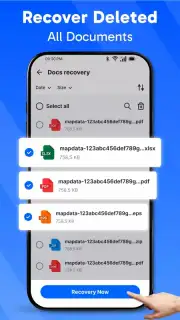
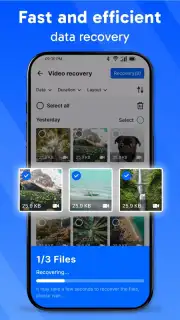
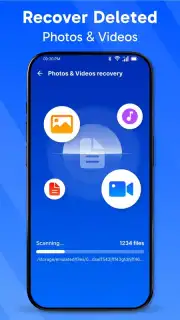
File Recovery - Photo Recovery acts as a powerful, on-demand rescue tool for your Android device. Imagine having a skilled data archaeologist right in your pocket, ready to meticulously scan the depths of your internal storage and external memory cards. The process is designed for you to take control: you initiate a deep scan, and the app gets to work, searching for traces of deleted files. You're then presented with a clear, organized gallery of recoverable items. From there, you can selectively preview photos, videos, documents, and more before securely restoring them with a single tap. It's a straightforward journey from loss to recovery, putting the power to retrieve your digital life directly in your hands.
Why This Recovery Tool Stands Out
This app is built with a clear understanding of what you need in a stressful situation. The interface strips away complexity, guiding you through recovery without technical jargon. It respects your device's performance, running efficient scans that don't bog down your phone. The focus is on a clean, visual experience where your files are the heroes, presented in a way that makes selection and restoration intuitive.
- Deep Scan Technology: Goes beyond surface-level deletion to find more of your lost photos, videos, and documents, even from formatted drives.
- Selective Preview & Recovery: Preview files before you restore them. You choose exactly what to get back, saving time and storage space.
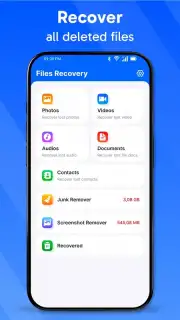
- Broad File Type Support: Recovers not just JPEGs and PNGs, but also MP4 videos, PDFs, DOC files, and other essential formats.
- Dual Storage Scan: Works seamlessly on your phone's internal memory and any external SD card you have installed.
- No-Root Required: Offers significant recovery capabilities without needing complex root access to your device.
Stop regretting that accidental delete. Get your photos, videos, and documents back and restore your peace of mind today.
Download mobile app now
Heads up: you'll need wifi for downloading the app and for optimal performance during scans. Some advanced recovery features may require additional access.
Information
| Version | 1.2 |
| Developer | ibrand |
| Requirements | Android Android + 8.0+ |
| Updated | 17.03.2026 |
| Size | 17.17 MB |
| Package | filerecovery.photosrecovery.allrecovery.recovery |
| Signature | 3eb2cd83f21088e1daff2b1f6429fb4a |
| Architecture | armeabi, armeabi-v7a, x86, arm64-v8a, x86_64 |


