

File Selector/Explorer screenshots (8)
Description File Selector/Explorer
A Full-Powered File Manager That Brings Desktop Control to Your Android Device
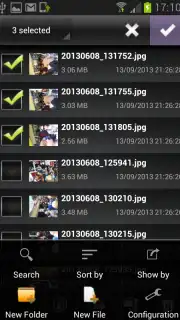
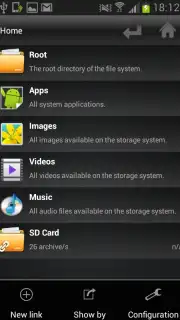
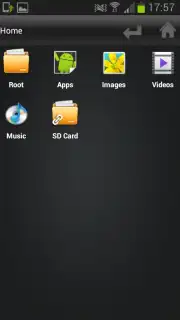
File Selector/Explorer transforms your Android smartphone or tablet into a fully capable file management workstation. This application replicates the precise, granular control you experience on a Windows PC, providing a complete suite of tools for direct manipulation of your device's internal storage and SD card contents. It is engineered for users who require more than basic gallery or download access, offering a systematic approach to organizing, locating, and batch-processing documents, media, and archives directly from a single, unified interface.
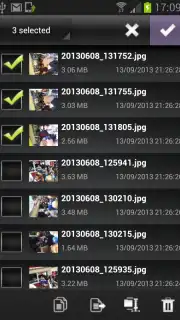
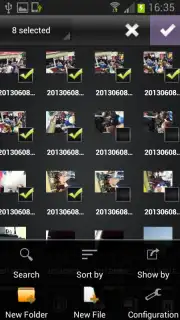
The core functionality is built around a comprehensive set of file operations. You can execute multi-select actions to copy or move groups of files between directories, rename items in bulk using sequential numbering, and extract compressed archives in ZIP or RAR formats. The integrated search module indexes file names and types for rapid retrieval, while the ability to create new folder hierarchies on demand enables precise document organization. A distinct operational mode allows the app to function as a system-level file picker, bypassing limitations in other applications. When you need to select multiple photos for an editor that restricts choice, or attach a specific document from a deep directory, File Selector/Explorer provides a bridge, granting access to any stored image, video, or file. The optional Turbo mode, available via in-app purchase, removes all advertising interfaces and can accelerate processing speeds for large file operations.
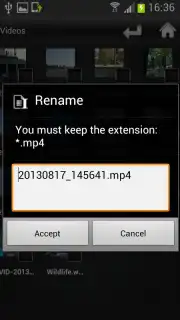
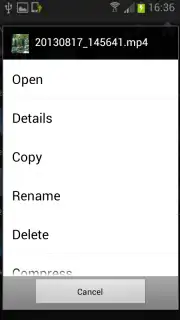
- Complete File Operations: Perform copy, move, rename, delete, archive extraction, and folder creation on any file or directory stored on your device.
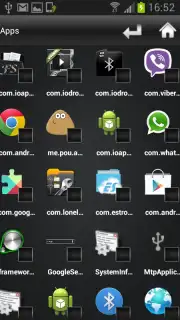
- System File Picker Utility: Bypass restrictive selection dialogs in other apps; use this manager to choose multiple images, videos, or documents from any location.
- Turbo Performance Mode: Unlock an ad-free experience and potential performance enhancements for file transfers and system-level tasks through an optional upgrade.
Download File Selector/Explorer now and take absolute command of your device's storage! Stop struggling with limited file access and install the definitive management tool today.
Disclaimer: This application requires an internet connection for initial download and potential in-app purchases. The optional "Turbo" feature is a premium upgrade available via in-app purchase. The app may require access to device storage, media files, and photos to perform its core functions. Data charges may apply. Use of this app is subject to the developer's terms of service and privacy policy.
Information
| Version | 2.5.2 |
| Developer | IO Apps, Inc. |
| Requirements | Android Android + 4.0.3, 4.0.4+ |
| Updated | 17.03.2026 |
| Size | 5.39 MB |
| Package | com.ioapps.fileselector |
| Signature | bbc2ab4eae8233357b1988b8955c4943 |


