

File Share - File Transfer 2018 screenshots (4)

Description File Share - File Transfer 2018
Ever found yourself needing to share a crucial file, but hesitated because you didn't want to burn through your mobile data or rely on a slow, unstable connection? That moment of friction is exactly what File Share - File Transfer 2018 is designed to eliminate. This app provides a brilliantly simple solution for direct, device-to-device file sharing, turning your local Wi-Fi network into a private, high-speed transfer highway without touching your cellular data plan. It’s the straightforward tool you reach for when you need to move photos, documents, apps, and more between Android devices instantly and efficiently.
Core Functionality & User Experience
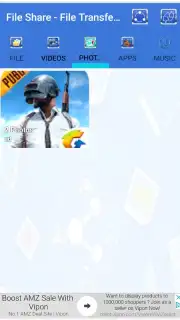
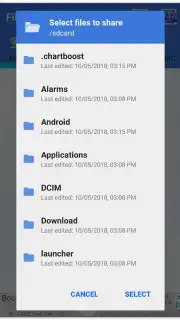
File Share - File Transfer 2018 operates on a principle of minimalistic efficiency. The process begins on a clean, intuitive main screen where you immediately select the type of file you wish to send. The app intelligently categorizes your device's storage, allowing you to browse specifically through Photos, Videos, Applications, Documents, or Music with a single tap. Once you select a category, it performs a rapid scan of your device's memory, compiling all available files of that type into a simple list for your selection. This targeted search saves significant time compared to manually navigating complex folder structures.
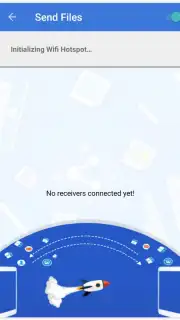
After choosing your file, the app seamlessly switches to discovery mode. It actively scans your local Wi-Fi network to identify other devices running File Share - File Transfer 2018 that are ready to receive. The connection is established peer-to-peer, creating a direct link between devices. This means your files transfer at the maximum speed your Wi-Fi router can support, often completing in mere seconds for typical documents and photos. The entire experience is designed for zero configuration; there are no complicated pairing codes or Bluetooth hassles—just select, find, and send.
Key Advantages & Features
A standout feature is the complete absence of advertisements in the core transfer process, ensuring an uninterrupted workflow. For users seeking the ultimate performance, the optional Turbo Mode enhances transfer protocols to maximize throughput, making it ideal for sending large video files or application packages swiftly.
- Zero mobile data consumption
- Wi-Fi Direct, high-speed transfers
- Intuitive, categorized file browser
- Ad-free core functionality
This combination of a frictionless interface, smart file organization, and a robust, ad-free transfer engine makes File Share - File Transfer 2018 a reliably efficient tool for everyday sharing needs.
Download File Share - File Transfer 2018 now! This is a limited-time offer for exclusive, ad-free access to high-speed file transfers. Be among the first users to experience effortless sharing—install today and never worry about data limits or slow sends again!
Heads up: You'll need an active Wi-Fi network for device discovery and transfers. The enhanced Turbo Mode is an optional premium feature.
Information
| Version | 1.1 |
| Developer | trist.com |
| Requirements | Android Android + 4.1, 4.1.1+ |
| Updated | 17.03.2026 |
| Size | 5.69 MB |
| Package | com.fileshare.transfer.app.free |
| Signature | e89b158e4bcf988ebd09eb83f5378e87 |
| Architecture | armeabi, armeabi-v7a, mips, x86, arm64-v8a, mips64, x86_64 |


