


Fine Lock screenshots (6)
Description Fine Lock
Unlock a World of Hidden Customization on Your Android
Your phone is a powerful tool, but its interface often feels locked down and generic. You see the same icons, the same quick settings, and the same status bar on every device. What if you could access a deeper layer of personalization, tweaking system-level details that are usually off-limits? This is where true device individuality begins, moving beyond simple themes to genuine system refinement.
Dive Deep into Advanced System Tweaks
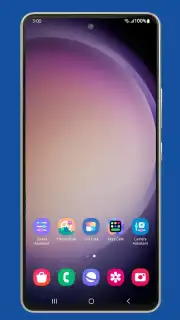
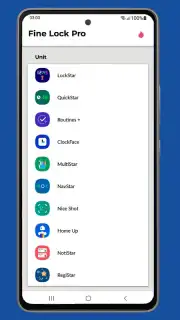
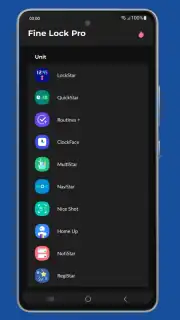
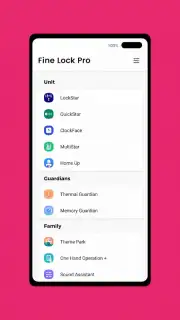
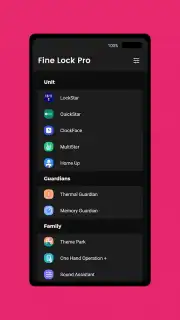
Fine Lock serves as a gateway and manager for a vast library of specialized modules, each designed to modify a specific part of your Android interface. Think of it as a control panel for system-level customization that doesn't require complex procedures. You browse through a curated collection of tools, enabling only the features you want. One module might let you redesign your volume panel with new sliders and layouts. Another could completely transform your lock screen clock with custom fonts, colors, and positioning. You gain precise control over the quick settings tiles, rearranging them, changing their colors, or even adding entirely new toggles that aren't available by default. The status bar becomes your canvas, allowing you to modify signal icon styles, battery indicators, and notification panel behaviors.
The process is streamlined for safety and simplicity. You explore the available modules, read about their functions, and enable them with a single tap. Each module operates independently, so you can mix and match to create a setup that is uniquely yours without overwhelming the system. The changes apply in real-time, letting you see the transformation instantly and revert just as easily if you wish to experiment with a different look.
Why This Approach Changes Your Daily Experience
- Granular Control Without Risk: Modify individual system components through isolated modules, ensuring stability while allowing for deep customization that typical launchers can't touch.
- A Clean, Unified Manager: Instead of hunting for scattered tools, everything is accessible from one intuitive hub. Browse, enable, disable, and update all your customization modules from a single, well-organized interface.
- Real-Time Visual Feedback: See every change apply immediately on your screen. Tweak a setting, watch your status bar update; adjust a slider, see the new volume panel appear. This instant feedback makes the customization process interactive and satisfying.
- Community-Powered Features: The library of modules is continually refreshed with new options created by developers, meaning new ways to personalize your device are always emerging, keeping your interface fresh and evolving.
Transform Your Device Into a Personal Masterpiece
Stop settling for the stock look everyone else has. Take direct control of your phone's interface and craft an experience that feels genuinely personal, efficient, and visually cohesive. Download Fine Lock now to begin your journey into advanced Android customization.
Disclaimer: This application requires an internet connection to browse and download modules. It functions as a manager for system customization tools and may require granting specific accessibility or permissions for certain modules to operate. Some functions may not be available on all devices or Android versions. Use responsibly. Data usage may apply. This application is intended for users familiar with Android system customization.
Information
| Version | 1.3.13 |
| Developer | YUH APPS |
| Requirements | Android Android + 11+ |
| Updated | 17.03.2026 |
| Size | 4.5 MB |
| Package | yuh.yuh.finelock |
| Signature | 21d33e77bc923261ec9e55b139a6cf9c |
| Architecture | armeabi-v7a, x86, arm64-v8a, x86_64 |


