

Finger Gesture Launcher screenshots (6)
Description Finger Gesture Launcher
Tired of Endless App Hunting on Your Phone?
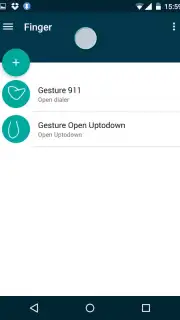
Finger Gesture Launcher transforms your smartphone's navigation by replacing traditional taps with intuitive, customizable gestures. Draw a simple shape on your screen—even when it's off—to instantly launch any app, contact, or action. This tool eliminates the clutter of home screens and streamlines your daily digital routine, putting essential functions literally at your fingertips.
Core Functionality & Customization
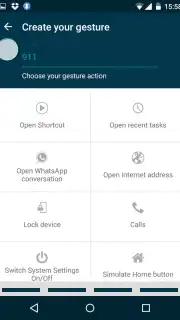
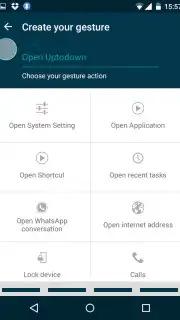
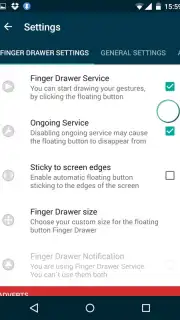
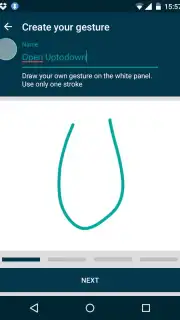
This application serves as a powerful overlay system that interprets your finger movements as commands. You can assign unique gestures to perform a wide range of tasks without unlocking your device or navigating through menus. The core mechanic revolves around creating a personal gesture dictionary, where a circle might open your camera, a 'V' could toggle the flashlight, and a swipe might call your most frequent contact. The system operates from a non-intrusive, always-accessible side panel or directly on the lock screen, providing immediate utility.
Key Advantages for Streamlined Use
The primary strength of this launcher is its profound reduction in interaction time. By bypassing the standard unlock-and-search process, it delivers performance that feels instantaneous. The user experience is highly personalized, allowing for granular control over gesture sensitivity, visual feedback, and activation areas. Its lightweight design ensures minimal battery and resource usage, running efficiently in the background without slowing down your device. The visual interface is clean and configurable, focusing on utility over unnecessary graphics.
Detailed Feature Overview
- Off-Screen Gestures: Launch apps and tools by drawing on a black screen, saving battery life.
- Fully Customizable Command Library: Assign any gesture to open apps, call contacts, or toggle settings.
- Multi-Layer Gesture Recognition: Distinguish between simple shapes and complex, user-defined symbols.
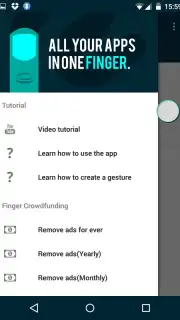
- Context-Sensitive Side Panel: Access a customizable quick-launch bar that hides when not in use.
- Comprehensive System Integration: Control Wi-Fi, Bluetooth, flashlight, and media playback with a swipe.
Download the mobile app now to unlock exclusive early access features and transform your phone's navigation today!
Disclaimer: This application requires an active internet connection for initial setup and certain advanced features. It may contain optional in-app purchases for premium customization packs. The app requires accessibility service permissions to function correctly. Data usage is minimal and is related to basic analytics for functionality improvement. Please ensure your device meets the minimum Android version requirement (4.1+). Features may vary by device and manufacturer skin.
Information
| Version | 5.3.8 |
| Developer | Carlos Morera de la Chica |
| Requirements | Android Android + 4.1, 4.1.1+ |
| Updated | 17.03.2026 |
| Size | 6.49 MB |
| Package | com.carlosdelachica.finger |
| Signature | e48838cab91a6a20cd2997744cc0d264 |


