


Folder Lock Advanced screenshots (5)

Description Folder Lock Advanced
What is the most direct method to prevent unauthorized access to sensitive files and applications on a mobile device? Folder Lock Advanced provides a systematic solution, operating as an expanded version of the core security tool. It functions as a centralized vault, enabling users to lock any document, file, or installed application. This allows the device to be handed to others without concern for personal data exposure or unauthorized file transfers from the smartphone's memory.
Core Security Architecture
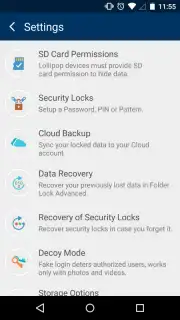
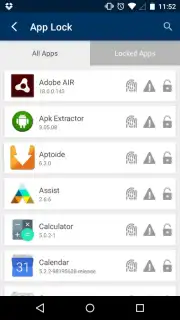
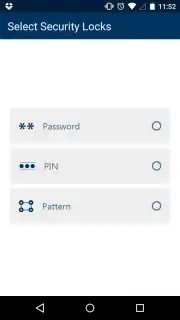
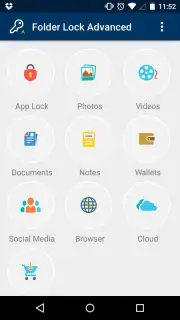
Initial setup requires selecting a primary security method to govern access to the application itself. Users configure either a pattern, a numeric PIN, or an alphanumeric password. Once this master credential is established, it acts as a gatekeeper; no protected content can be accessed without it. Upon successful authentication, the main interface presents a segmented security dashboard. Features are organized into distinct operational categories: App Lock, Photos, Videos, Documents, Notes, Wallet, Social, Browser, and Cloud. This categorical division allows for targeted security management rather than a blanket approach.
Detailed Functional Breakdown
Each category tab contains configurable options for items to be secured. For instance, the Wallet section is designed to restrict access to banking applications and payment services, while the Social category manages permissions for platforms like Facebook, Twitter, and Instagram. A notable efficiency within these sections is the inclusion of integrated shortcuts. These allow for secure checking of accounts without necessarily requiring the official applications to be installed or opened separately, streamlining the process of accessing information behind the security layer.
Additional Utility Features
Beyond file and app locking, Folder Lock Advanced incorporates a dedicated web browser. This tool is intended for anonymous browsing of websites, with a built-in download manager for directly obtaining content. Disabling protection is a straightforward process; secured items can be unlocked individually with a tap, maintaining a balance between robust security and user convenience. The system is designed to be as quick to disable as it is effective when enabled.
- Centralized Security Dashboard: Manage app, photo, video, and document locks from a single, categorized interface.
- Flexible Master Authentication: Secure the vault itself using a customizable pattern, PIN, or strong password.
- Dedicated Financial & Social Protection: Isolate banking apps and social media accounts in specialized Wallet and Social lockers.
- Integrated Anonymous Browser: Browse and download content privately without using the device's main browser.
- Rapid Lock & Unlock Toggle: Instantly enable or disable protection on any item with a simple tap.
Do not leave your private data exposed. Download Folder Lock Advanced immediately and activate complete mobile security today!
Internet required. IAP available.
Information
| Version | 1.4.9 |
| Developer | New Softwares.net |
| Requirements | Android Android + 4.0, 4.0.1, 4.0.2+ |
| Updated | 17.03.2026 |
| Size | 11.99 MB |
| Package | net.newsoftwares.folderlockadvanced |
| Signature | 46327fca4274fe33dfd63699771a52c0 |
| Architecture | universal |


