

FoneTool screenshots (5)


Description FoneTool
What if you could manage every file on your phone without ever connecting to a computer?
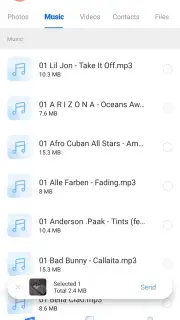
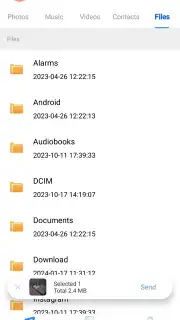
FoneTool is a comprehensive Android file management and transfer utility designed to operate independently of a PC. The app provides a unified interface for handling internal storage, SD cards, and cloud services, enabling users to perform batch operations, direct transfers between devices, and system cleanup. Core mechanics involve a file explorer with advanced sorting and filtering, a dedicated tool for migrating data between Android devices via a local Wi-Fi hotspot, and a duplicate file scanner that identifies redundant photos, videos, and documents. A system cleaner module analyzes cache and residual files from uninstalled applications, presenting a detailed breakdown of reclaimable space before any deletion is performed.
Key Features and Operational Analysis
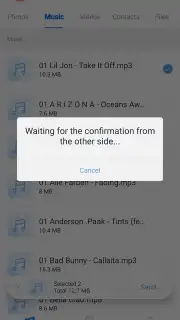
The utility distinguishes itself through a focus on offline functionality and granular control. The local transfer mode creates a direct wireless bridge between two phones, facilitating the movement of contacts, messages, media, and installed APKs without internet usage or size limitations typical of cloud services. The application’s backup module allows for the creation of compressed archives of selected data types, which can be stored locally or uploaded to linked cloud accounts. Visual management is handled through a gallery-style media browser that supports previews for a wide range of formats, while the batch processing engine allows for simultaneous renaming, compression, or conversion of hundreds of files with a single command sequence.
- Local device-to-device data transfer
- Batch file management and organization
- System storage cleaner and optimizer
- Backup to local and cloud storage
Performance and Usability Considerations
Navigation is structured around a bottom tab bar, providing immediate access to the four primary modules: Transfer, Toolkit, Backup, and Me. The interface employs a card-based layout for tools and a list view for file operations, maintaining consistency with standard Android design language. Performance metrics are displayed during transfer and cleaning operations, including real-time speed, remaining time, and the total volume of data processed. The app requires standard Android storage permissions to function but does not mandate account creation for its core features, allowing for immediate utility upon launch.
Exclusive access for the first users: download FoneTool today to unlock professional-grade file control without subscriptions or desktop software dependencies.
Internet required. IAP available.
Information
| Version | 2.3.0 |
| Developer | AOMEI |
| Requirements | Android Android + 7.0+ |
| Updated | 17.03.2026 |
| Size | 31.31 MB |
| Package | com.mobile.fonetool |
| Signature | 74e8fc2254a8431280d01a3b62d24733 |
| Architecture | armeabi-v7a |


