


Fonty screenshots (7)
Description Fonty
Imagine Your Handwriting, Transformed Into a Digital Masterpiece
Ever looked at a font and thought, "I could do better than that"? Or perhaps you've dreamed of giving your personal projects—invitations, social media graphics, even a logo—a touch that is unmistakably you. That's the moment Fonty was made for. This isn't just another font library; it's your personal type foundry, tucked right inside your Android device. Forget scrolling through thousands of generic fonts. Here, you become the creator. You start with a blank canvas and a simple mission: to design letters that carry your personality, whether that's elegant, playful, bold, or beautifully messy. The journey from a simple sketch in your mind to a fully functional, installable font is surprisingly intuitive, putting professional-grade typography design directly into your hands.
Craft Letters That Speak Your Creative Language
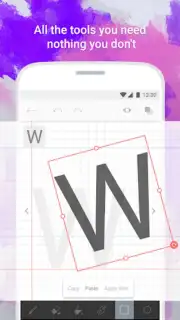
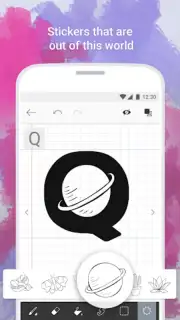
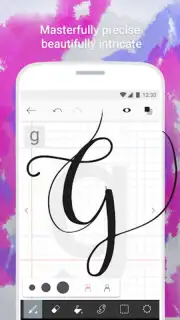
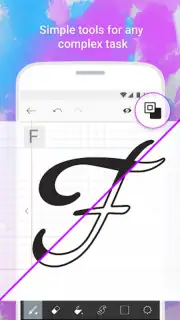
Fonty understands that creativity doesn't follow one path. That’s why its toolkit feels less like rigid software and more like a welcoming studio. You might begin by simply drawing characters freehand with your finger or a stylus, capturing the natural flow of your own handwriting to create a truly personal script font. Prefer more structure? Build letters from a library of shapes and curves, assembling them like digital clay for a clean, geometric look. And for that extra spark of personality, you can integrate clipart and stickers directly into your character designs, turning the letter 'A' into a work of art adorned with vines or stars. The app’s visual guides and alignment tools are your silent partners, ensuring every curve and line is precisely where you want it, even if you’ve never studied typography a day in your life.
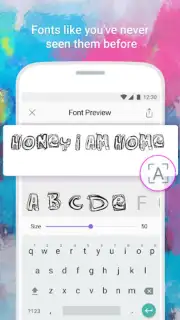
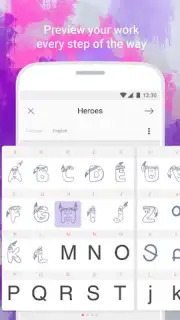
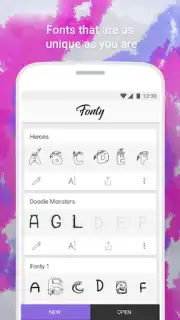
The magic truly happens when you see your font in action. Fonty’s live preview lets you type out words and phrases using your creation in real-time, so you can tweak spacing, weight, and style on the fly. Worried about losing your progress? Automatic saving and a dedicated draft mode have you covered, letting you experiment fearlessly. Once your font is perfect, export it seamlessly to use in other apps on your device, from social media editors to presentation software, making your designs consistently unique across all your projects. With support for over 15 languages and alphabets, your creative font isn’t limited by geography—you can design for virtually any project or audience in the world.
Why Your Creative Toolkit Needs Fonty
- From Sketch to Font in Minutes: Transform your hand-drawn letters or digital designs into a fully functional, installable typeface with an intuitive, step-by-step editor.
- A Studio of Tools at Your Fingertips: Utilize elegant calligraphy brushes, a vast sticker library for decoration, and shape-based construction for ultimate creative control.
- Design Without Limits: Export your custom fonts for use anywhere, with multi-language support and live previews to perfect every detail before finalizing.
We suggest trying Fonty to unlock a new level of personalization in all your digital creations. Consider downloading it today and turn your signature style into your signature font.
Download the Fonty mobile app now.
Please note: The app requires an internet connection for certain functions. Some advanced features or content may be available via in-app purchases.
Information
| Version | 1.6 |
| Developer | Photo and Video Apps |
| Requirements | Android Android + 4.4+ |
| Updated | 17.03.2026 |
| Size | 6.96 MB |
| Package | com.palabs.fonty |
| Signature | b4b2cd918ebfcebd31b47d71af9c5935 |
| Architecture | armeabi, armeabi-v7a, mips, x86, arm64-v8a, mips64, x86_64 |




