


fooView - Float Viewer screenshots (8)
Description fooView - Float Viewer
A Floating Control Hub That Replaces Dozens of Single-Use Apps
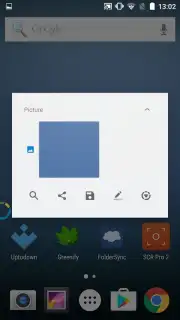
fooView - Float Viewer fundamentally changes how you interact with your Android device by deploying a persistent, customizable floating button. This overlay provides immediate system-wide access to a comprehensive suite of tools, effectively consolidating file management, navigation shortcuts, media playback, and web search into a single, always-available interface. The application eliminates the need to switch between disparate apps for common tasks, creating a streamlined workflow that operates from any screen, including within other applications.
Core Functionality and Operational Modes
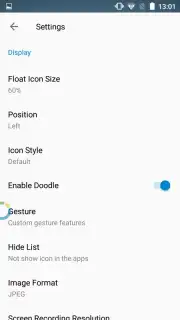
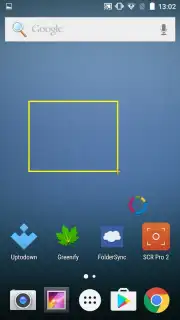
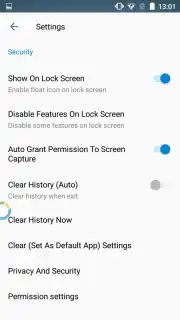
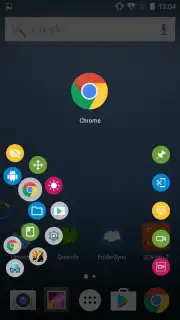
Upon installation, a compact, semi-transparent control orb is anchored to the screen edge. Its position, size, and opacity are fully adjustable within the settings panel to match user preference and minimize visual obstruction. The primary interaction model is based on directional swipe gestures initiated from this floating button. A short swipe to the left or right emulates the standard system 'back' button command, while a long swipe to the screen edge activates the history back function. A swift upward swipe instantly unfolds the main application menu, which serves as the central command center.
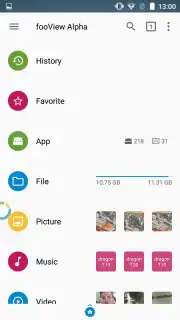
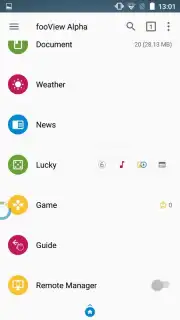
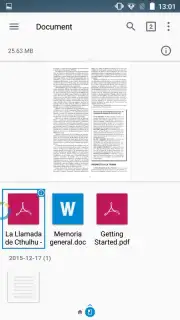
The main menu grants direct administrative control over all local file systems. It functions as a full-featured file explorer with native support for previewing and organizing images, documents, and video files. Beyond local media, the module integrates direct web access points for YouTube streaming, Google searches, and real-time weather checks without requiring a separate browser launch. The optional Turbo enhancement permanently removes all advertising elements and unlocks advanced productivity features, resulting in an uninterrupted utility experience.
Key Feature Overview
- Customizable floating navigation button
- System-wide file manager and media viewer
- Integrated web search and YouTube access
Limited Offer: Exclusive Access for First Users
Download the fooView mobile app today to unlock this all-in-one productivity layer. This introductory access provides a complete toolkit to accelerate every action on your Android device, simplifying complex tasks into single gestures. Install now before this version is updated.
Technical Disclaimer: This application requires an active internet connection for specific features including web search, YouTube streaming, and weather updates. The optional Turbo upgrade is a premium in-app purchase. Continued use of background location may decrease battery life.
Information
| Version | 1.6.2 |
| Developer | fooView Inc. |
| Requirements | Android Android + 5.0+ |
| Updated | 17.03.2026 |
| Size | 29.87 MB |
| Package | com.fooview.android.fooview |
| Signature | 457444479cf7cc23a6bfb82980147d7c |
| Architecture | armeabi-v7a |





