

Free Download Manager screenshots (8)



Description Free Download Manager
What if your downloads were no longer a source of frustration, but a seamless, managed process?
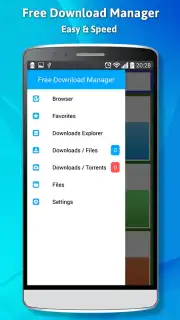
In the digital age, managing downloads across various browsers and file types often becomes a fragmented and inefficient task. The Free Download Manager app addresses this core utility gap by centralizing and optimizing the entire download workflow on your Android device. It functions not merely as a passive receiver of files but as an active orchestration tool, intercepting download links from your web browser to bring them under a single, powerful management umbrella. This consolidation allows for detailed queuing, scheduling, and priority setting, transforming a typically background system process into a foreground application you can truly control and optimize for speed and reliability.
Core Functionality and Management Tools
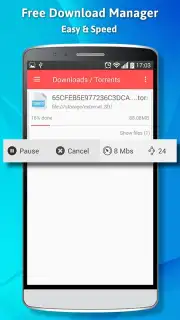
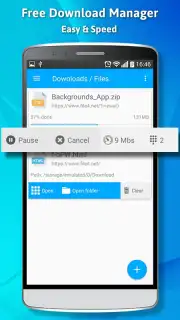
The application's primary interface is built around a clean, centralized download list that provides real-time status updates for every active and queued task. A key operational feature is the intelligent download accelerator, which segments large files to utilize multiple network connections simultaneously, a technique that can significantly reduce total download time on stable connections. For long-term or scheduled downloads, the app includes a robust pause and resume function that maintains file integrity even after network interruptions or device reboots. Beyond basic HTTP/HTTPS, it offers support for a range of protocols and can integrate with certain cloud storage links, aiming to be a universal hub for incoming data.
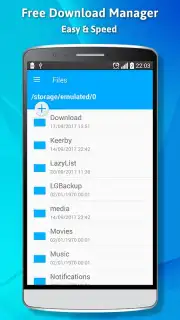
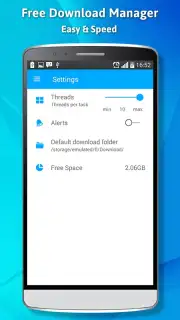
The manager provides granular control over each download through a detailed information panel, displaying source URL, file size, estimated time remaining, and current download speed. Users can organize their downloads into custom categories, apply download schedules to utilize off-peak internet hours, and set bandwidth limits to ensure other online activities are not disrupted. The built-in file browser allows for quick access to completed downloads, with options to share or open files directly from within the app's ecosystem.
Key Advantages for the User
- Centralized Download Hub: Intercepts and manages downloads from your browser into one unified, easy-to-monitor list for complete oversight.
- Intelligent Acceleration Technology: Employs multi-connection downloading to maximize your available bandwidth and reduce file acquisition times.
- Uninterrupted File Retrieval: Robust pause and resume functionality ensures no download progress is lost due to connectivity issues.
- Granular Traffic Control: Features bandwidth scheduling and speed limiting to manage your network usage without interrupting other tasks.
- Universal Protocol Support: Handles a wide array of download links beyond standard web files for greater versatility.
- Streamlined File Management: Includes an integrated browser to organize, open, and share your downloaded content immediately.
Take command of your digital workflow and eliminate download anxiety. Get your organized, high-speed download center now.
Disclaimer: This application requires an active internet connection. It functions as a management tool for downloading files from the internet; users are responsible for complying with all applicable copyright and usage laws. The app may contain advertisements and offers optional in-app purchases for enhanced features. Data usage is dependent on download activity. Please ensure your device meets the minimum system requirements (Android 2.0.1+).
Information
| Version | 1.2 |
| Developer | AndroDev-Tools |
| Requirements | Android Android + 2.0.1+ |
| Updated | 17.03.2026 |
| Size | 7.84 MB |
| Package | com.devandro.free.downloadmanager |
| Signature | 4bf34611499cae3d5b3445b6efd097c2 |
| Architecture | armeabi-v7a |


