


FreeBrowser screenshots (16)







Description FreeBrowser
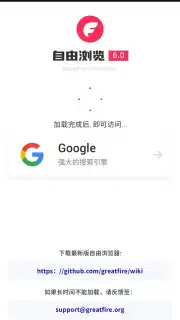
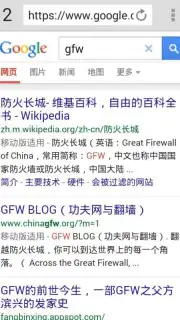
Imagine needing to access a critical report, connect with a team overseas, or simply watch a familiar video, only to find the gateway is sealed. For users within regions with restrictive internet policies, this is a daily reality. FreeBrowser, developed by Greatfire.org, is engineered as a direct technical solution to this specific problem. It functions as a Chromium-based web browser with integrated proxy routing, designed to facilitate access to globally available websites and services that may otherwise be inaccessible, without requiring a separate VPN application or user account.
Core Technical Functionality and Architecture
The application operates by automatically redirecting your browsing traffic through its array of built-in proxy servers. This process is handled transparently within the browser environment. You initiate a connection to a destination web address; the browser's internal system selects an operational proxy and routes your request through it. The response is then delivered back to your device. This architecture eliminates the need for manual VPN configuration, subscription management, or login credentials. The primary objective is to establish a stable and functional connection to external web resources, including major search engines, social media platforms, instant messaging services, and video streaming sites.
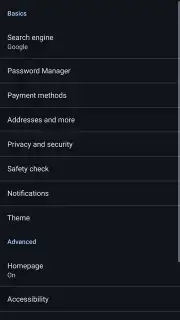
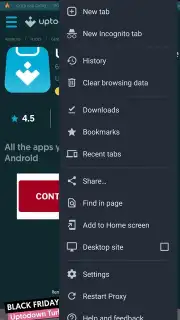
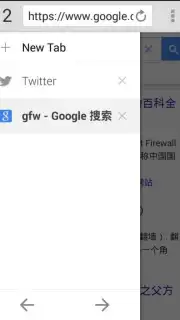
The user interface is derived from the Chromium open-source project, ensuring a familiar layout and interaction model for those accustomed to browsers like Google Chrome. Navigation controls, tab management, and the address bar function identically. A dedicated proxy reload button is present within the interface, providing a manual override to switch connection endpoints if the current proxy server experiences latency or becomes unresponsive. This design prioritizes user familiarity, reducing the learning curve to effectively zero.
Performance Specifications and Operational Notes
It is important to note the application's handling of specific media formats. Performance may vary when streaming video content encoded with the H.264 codec, as it is a licensed technology. Many major platforms, however, support alternative open codecs like VP9. FreeBrowser can typically process these alternative streams without issue, allowing for video playback. The browser does not display advertising, and its Turbo mode is designed to optimize data transfer and page loading speeds where possible. As with any tool relying on proxy networks, connection speed and stability are dependent on the current load and health of the available proxy servers at any given moment.
- Integrated proxy servers for access
- Chromium-based familiar interface
- No advertisements or login required
Download the FreeBrowser APK immediately to configure a direct technical pathway to the global internet. Install it now to bypass network restrictions and connect to the web services you require.
Internet required. IAP available.
Information
| Version | 6.2 |
| Developer | Greatfire.org |
| Requirements | Android Android + 8.0+ |
| Updated | 17.03.2026 |
| Size | 118.39 MB |
| Package | org.greatfire.freebrowser |
| Signature | 12c3d983880669eee0aae67b355a5fee |
| Architecture | arm64-v8a |


