

FS VideoBox screenshots (9)
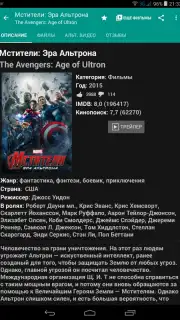
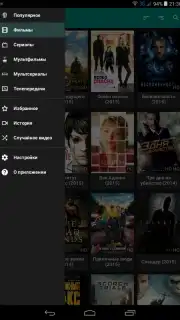
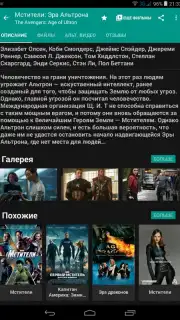
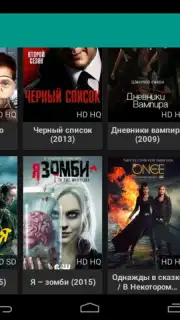
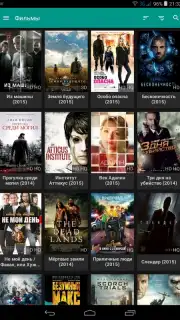
Description FS VideoBox
A Comprehensive Media Hub Engineered for the Discerning Viewer
FS VideoBox establishes itself not merely as a video player, but as a sophisticated aggregation engine and media library for Android. It systematically consolidates access to a vast, decentralized network of online video content, transforming your device into a personalized streaming terminal. This application is built for users who prioritize choice and control, offering a level of curation and technical flexibility uncommon in standard streaming apps.
The core functionality revolves around its multi-source search capability. Instead of being locked into a single content provider, FS VideoBox performs simultaneous queries across a curated list of external media websites, including fs.to, moonwalk.cc, filmix.net, and several others. This design ensures redundancy; if a video is unavailable or encounters playback issues on one source, you can instantly switch to another within the same interface. The application requires an external video player like MX Player, VLC, or BS Player for actual playback, which allows you to leverage the advanced codec support and customization options of those dedicated apps. It is fully optimized for tablet and media player interfaces but runs effectively on any Android smartphone running version 2.3 or higher.
Feature Analysis and User Experience
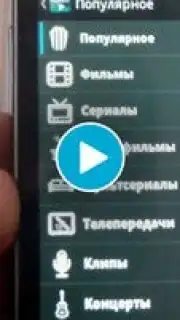
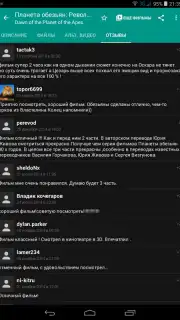
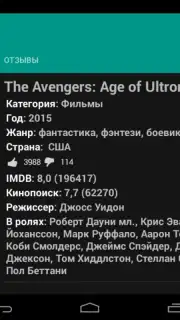
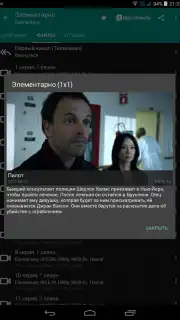
Navigation is handled through a slide-out menu accessible from the main screen, organizing content into a clear catalog with descriptions. The integrated search is powerful, supplemented by granular filters for genre, video quality, release year, and country of origin, allowing for precise discovery. For series, it provides episode descriptions and management. The app maintains a viewing history and supports user reviews, adding a community layer to content evaluation. A notable feature is the synchronization of your favorites list with the fs.to website, enabling a seamless transition between mobile and desktop browsing.
A key technical setting is the video quality selection. By default, the app serves an optimized MP4 stream, which is generally more compatible with mobile devices and uses less data, albeit at a slightly reduced visual quality and with a single audio track. Users seeking the highest fidelity can disable this in the settings to request the original source file, which may include multiple audio tracks in Russian, Ukrainian, or English. Managing your video files is intuitive: a long press or a tap on the menu icon next to any title reveals options to select alternate video qualities, view episode details, or initiate a download directly to your device.
- Multi-Source Content Aggregation: Simultaneously searches a dozen independent media sites for films, series, and cartoons, ensuring maximum availability and backup options.
- Granular Library Management: Features a robust catalog with filters, viewing history, user reviews, and sync for your favorites with the web.
- Flexible Playback Configuration: Delegates playback to your preferred external player and allows a choice between data-efficient streams or original quality video with multi-language audio.
The application receives regular updates to its video collection and source list, maintaining its utility over time. The interface, while functional, presents a wealth of information and options that cater to power users who want to manage their viewing experience actively. The absence of in-app advertisements, especially when utilizing its Turbo features, creates an uninterrupted browsing and viewing session.
Do not compromise on your media access. Transform your Android device into a powerful, self-directed streaming platform immediately. Download FS VideoBox now and unlock a universe of video content on your terms.
Heads up: you'll need wifi for most features. Some cool stuff is extra. An external video player like VLC or MX Player is required for playback.
Information
| Version | 2.3.3 |
| Developer | dkc7dev |
| Requirements | Android Android + 3.0.x+ |
| Updated | 17.03.2026 |
| Size | 4.05 MB |
| Package | dkc.video.fsbox |


