


G Cloud Backup screenshots (10)
Description G Cloud Backup
Never Lose a Memory Again: Your Phone's Data, Always Safe and Restorable
Imagine the sinking feeling of watching your phone slip from your hand, the screen shattering on impact. Beyond the physical damage, a more profound panic sets in: what about all your photos, messages, and contacts? That irreplaceable digital life vanishes in an instant. This scenario doesn't have to be a disaster. With a dedicated backup solution, your data exists independently of your device, secure in the cloud and ready for restoration at any moment. You gain peace of mind, knowing your digital identity is preserved, immune to loss, theft, or hardware failure.
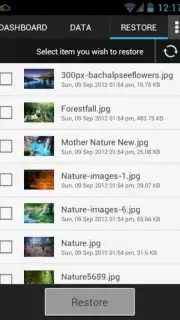
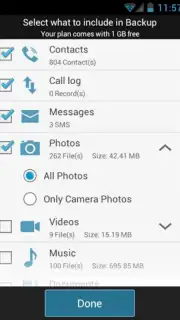
G Cloud Backup operates as a comprehensive safeguard for your Android device. It systematically creates secure copies of your personal information—including text messages, call history, contacts, photos, videos, and music—and stores them remotely. This process means your data is no longer tied solely to your phone or tablet. You configure what gets backed up, and the application handles the rest, encrypting your information for privacy. The core value is continuous access; even if your primary device is lost, your entire digital archive remains intact and retrievable from any new device.
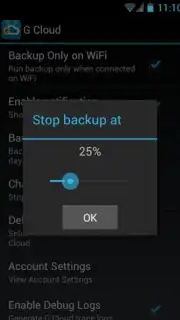
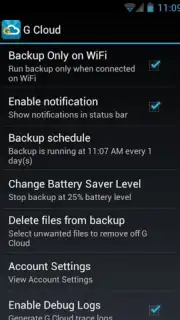
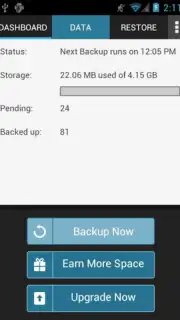
A standout feature is the intelligent automation for backups. You can set the app to perform daily, automatic backups that capture all new information on your device. This system is designed to be resource-conscious, operating exclusively over Wi-Fi connections. This smart limitation ensures the process never consumes your mobile data allowance, silently preserving your new photos and messages in the background without any impact on your data plan. The automation removes the burden of remembering to manually back up, creating a consistent safety net without any ongoing effort.
Transitioning to a new phone often feels like a daunting chore, involving cables, computers, and the fear of leaving something important behind. This application transforms that experience. It enables you to send the complete contents of your old device directly to a new one, effectively cloning your digital environment. Within minutes, your new phone can contain all your apps, settings, and personal data, making the upgrade process quick and seamless. The application performs this comprehensive transfer without requiring advanced technical permissions like rooting your device, keeping the operation safe and straightforward for any user.
- Automatic daily backup scheduling
- Wi-Fi only data transfer mode
- Full device migration to new phones
- No root access required
Consider downloading G Cloud Backup to permanently solve the problem of data vulnerability. This tool provides a set-and-forget security layer for your digital life, ensuring you never lose what matters most. We suggest trying this robust solution for effortless protection and seamless device upgrades.
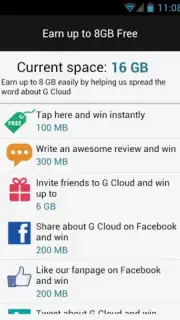
A stable internet connection is required for backup and restore functionality. The application may offer optional in-app purchases for additional cloud storage capacity beyond the initial free tier.
Information
| Version | 12.1.7 |
| Developer | Genie9 |
| Requirements | Android Android + 10+ |
| Updated | 17.03.2026 |
| Size | 44.47 MB |
| Package | com.genie9.gcloudbackup |
| Signature | 79994abcd2955faca39f578c343d749c |
| Architecture | armeabi-v7a, arm64-v8a |


