


Galaxy Wearable (Samsung Gear) screenshots (5)
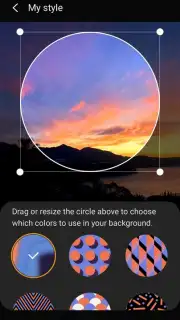
Description Galaxy Wearable (Samsung Gear)
Imagine this: you’ve just unboxed your new Samsung smartwatch, a sleek piece of engineering designed to extend your digital life. Yet, navigating its tiny screen to adjust settings or change watch faces can feel cumbersome. This is where the Galaxy Wearable app transforms the experience, acting as a dedicated command center on your smartphone. It’s not merely a companion app; it’s the essential bridge that unlocks the full, intended potential of your Samsung wearable, turning complex management into a streamlined, intuitive process.
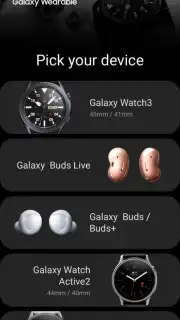
The core function of Galaxy Wearable is to establish a seamless, persistent Bluetooth connection between your phone and compatible devices like the Galaxy Watch, Gear S3, Gear S2, Gear Fit2, Gear Fit2 Pro, or Gear IconX earbuds. Pairing is typically a matter of seconds, after which the app serves as the primary dashboard. From here, you bypass the physical limitations of the wearable's interface. The application provides granular control over device behavior and personalization, effectively making your phone’s larger screen the preferred tool for deep customization and management, which is a significant ergonomic advantage.
Core Functionality and Customization
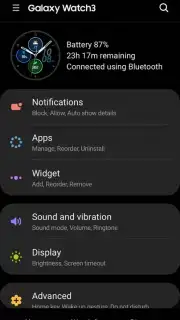
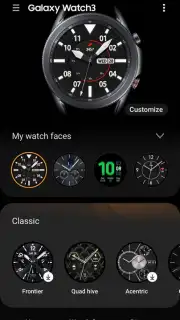
The app excels in centralizing key functions that would otherwise require tedious navigation on the watch itself. You can comprehensively manage notifications, deciding exactly which alerts from your phone are mirrored to your wrist to minimize distraction. A standout feature is the integrated watch face gallery, where you can browse, preview, and apply new designs to instantly change the style and information layout of your watch without ever touching it. Furthermore, the app handles device settings, software updates, and app management for your wearable, ensuring it runs optimally and stays current with the latest features from Samsung.
Detailed Feature Overview
- Centralized Device Management: Instantly adjust core settings, check battery status, and manage installed apps directly from your smartphone’s interface.
- Extensive Watch Face Gallery: Browse and apply hundreds of watch faces to match your activity, outfit, or mood, with real-time previews on a phone-sized screen.
- Precise Notification Control: Curate which app alerts reach your wrist, setting priorities and vibration patterns to filter out digital noise effectively.
This level of integrated control is what makes the Galaxy Wearable app indispensable for Samsung ecosystem users. It’s the difference between simply wearing a smart device and truly mastering it. For a limited time, Samsung is highlighting this app as the essential gateway for new wearable owners, offering exclusive access to curated watch face collections for early users.
Download the Galaxy Wearable app now to fully command your device and claim exclusive early-user customization packs today only.
Heads up: you'll need wifi for initial setup and major updates. Some premium watch faces and advanced features within partnered apps may require separate purchases.
Information
| Version | 2.2.17082261 |
| Developer | Samsung Electronics Co., Ltd. |
| Requirements | Android Android + 4.3+ |
| Updated | 17.03.2026 |
| Size | 3.13 MB |
| Package | com.samsung.android.app.watchmanager |
| Signature | d087e72912fba064cafa78dc34aea839 |
| Architecture | universal |


