

Game Screen Recorder screenshots (7)
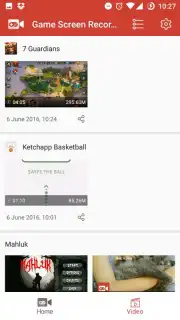
Description Game Screen Recorder
A Practical Look at Game Screen Recorder
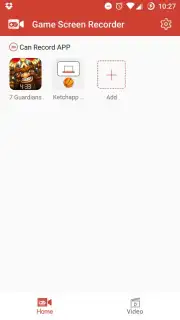
For mobile gamers looking to document their gameplay, the process often involves navigating complex software or dealing with intrusive watermarks. Game Screen Recorder by DGenius approaches this need with a streamlined, single-purpose design. This application functions as a dedicated capture tool for Android, focusing specifically on recording the visual output of your screen with a clear emphasis on gaming sessions. Its operation is built around a simplified launchpad system, removing the typical friction of configuring recording overlays mid-game.
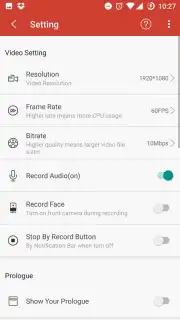
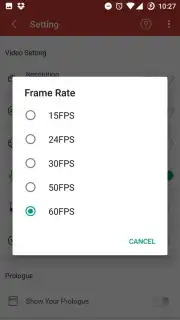
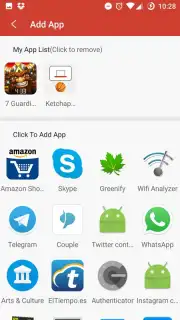
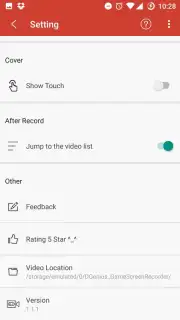
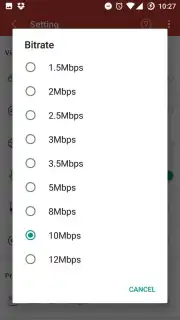
The core mechanics are straightforward. You initiate a recording session by launching your chosen game directly from within the Game Screen Recorder app's interface. A persistent 'REC' button is then rendered on-screen, giving you full manual control over when recording starts and stops. The application provides a settings panel where you can determine this button's visibility during capture, allowing you to choose between an unobstructed view or maintaining quick-access controls. Beyond this, the software offers granular control over the output file. Users can adjust key video parameters including resolution, quality preset, frames-per-second, and bitrate to balance file size against visual fidelity.
Audio and video source management is handled separately. The app permits the use of the device's microphone for external commentary or ambient sound capture. It also includes an option to simultaneously record footage from the device's front-facing camera, enabling a popular picture-in-picture style common for reaction videos or tutorials. It is important to note for potential users that the application does not capture internal device audio, meaning game sounds and music must be recorded via the microphone or added separately in post-production. The advertised 'Turbo' mode suggests a performance-optimized recording state, presumably aimed at minimizing the application's impact on game performance during capture.
- Direct Game Launch & Manual Control: Start recordings by opening games from the app, with an on-screen 'REC' button for precise control.
- Configurable Video Output Settings: Customize recording quality, resolution, FPS, and bitrate to suit your storage and clarity needs.
- Dual Audio & Camera Source Options: Record microphone audio and front-camera video simultaneously for layered commentary.
Get a clean, configurable tool for capturing your mobile gameplay and start building your highlight reel today.
Heads up: Internal audio capture isn't supported; game sound must be recorded via microphone. A stable device performance level is recommended for higher-quality recording settings.
Information
| Version | 1.2.9 |
| Developer | DGenius |
| Requirements | Android Android + 5.0+ |
| Updated | 17.03.2026 |
| Size | 4.94 MB |
| Package | com.drivergenius.screenrecorder |
| Signature | a58fb2a01601adb8974379cc706a4eef |
| Architecture | armeabi, armeabi-v7a, mips, x86, arm64-v8a, x86_64 |


