

GenialWriting screenshots (5)
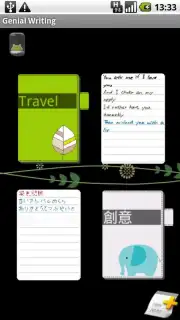
Description GenialWriting
What if you could capture handwritten thoughts digitally without switching devices?
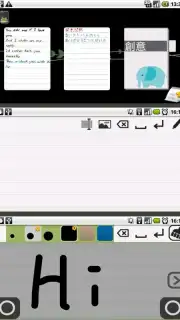
GenialWriting by zenpie studio is a social utility application designed for the Android platform that functions as a dedicated digital notepad for stylus or finger-based input. Its core operation centers on bypassing the keyboard to allow users to write or draw directly onto the device screen, converting spontaneous ideas, reminders, or personal messages into a digital handwritten format. This positions it not merely as a note-taking tool but as a platform for creating and sharing personalized graphic content. The application's architecture supports both portrait and landscape orientations, adapting to various writing habits and device-holding preferences. For users seeking an uninterrupted workflow, the premium Turbo version removes all advertising placements, presenting a clean canvas solely focused on the writing process.
Functional analysis of the writing and sharing ecosystem
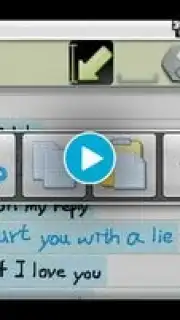
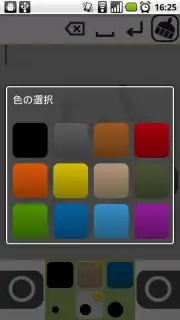
The utility of GenialWriting is defined by its layered feature set, which facilitates both creation and distribution. The writing engine provides adjustable pen tip widths and a selectable color palette, enabling basic emphasis and organization within a note. Content management is handled through an undo function that can reverse deletions with a swipe gesture and a system for copying and pasting elements between different notes. For multimedia integration, users can insert images directly from their device's gallery; premium account holders gain the additional capability to capture and insert photos using the device's camera without leaving the application. The sharing module is built for direct export, allowing any completed handwritten note to be sent as an image or file through standard email clients or social networking apps, thereby translating personal notes into social interactions.
Structural components and version differentiation
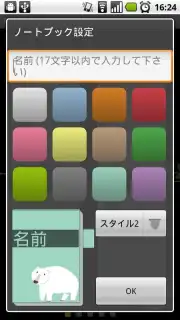
The user interface is built around customizable home screen widgets, offering different size configurations for quick note creation or preview. A collection of visual notebook style themes is available to apply distinct backgrounds and layouts, adding a layer of personalization to the digital writing surface. The application operates on a freemium model: the base version is fully functional for casual use but includes advertising displays. The paid upgrade, Turbo, eliminates advertisements and unlocks the camera capture feature, effectively expanding the application's versatility for more demanding use cases that require combining handwritten text with real-world imagery.
- Direct Screen Writing & Formatting: Write or sketch directly on-screen with customizable pen thickness and color selection in portrait or landscape mode.
- Content & Multimedia Management: Manipulate notes with undo/redo, copy/paste, and insert images from your gallery or, for premium users, directly from your camera.
- Instant Sharing & Personalization: Export and share your handwritten creations via email or social media and personalize your workspace with widget sizes and notebook themes.
Get your bonus of ad-free, camera-enabled note creation by upgrading to Turbo and start sharing personalized messages today.
Internet required. IAP available.
Information
| Version | 1.38.0811 |
| Developer | zenpie studio |
| Updated | 17.03.2026 |
| Size | 703.4 KB |
| Package | com.zenpie.genialwriting |
| Signature | ad7a13c4148cfdeb6f6e6cd31f49a371 |


