

GO Calendar Widget screenshots (9)
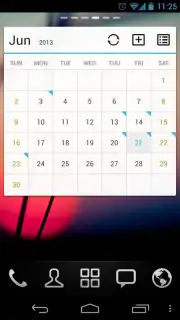
Description GO Calendar Widget
Your Calendar, Transformed into a Home Screen Masterpiece
Tired of your calendar being buried inside an app, forcing you to open it repeatedly just to manage your day? The standard widget experience often feels like an afterthought—clunky, visually disjointed, and lacking the information density you need at a glance. This fragmentation between your schedule and your home screen creates unnecessary friction, turning simple date checks into a chore. The GO Calendar Widget addresses this core interface problem by seamlessly integrating a powerful, customizable calendar directly into your Android home screen, transforming it from a static backdrop into a dynamic command center for your time.
A Deep Dive into Customization and Utility
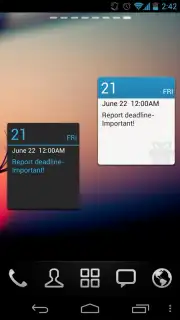
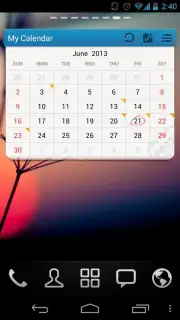
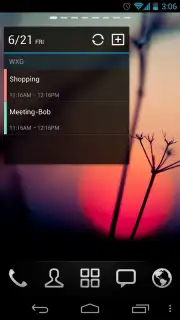
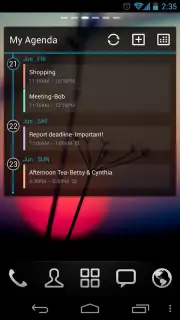
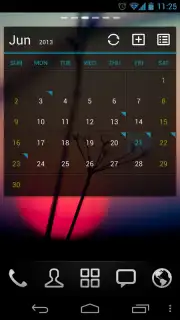
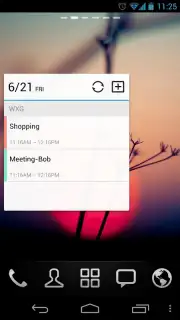
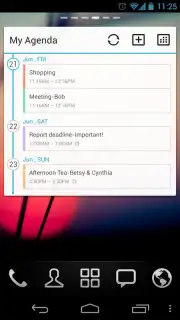
Developed by the experienced GO Launcher Dev Team, this widget leverages deep system integration to offer more than just a simple date display. It functions as a fully interactive portal to your schedule. The primary mechanic revolves around extensive visual and functional customization. Users can select from multiple widget sizes—from a compact single-month square to a expansive multi-week view—and tailor every aesthetic element to match their phone’s theme. This includes changing fonts, adjusting transparency levels, and selecting from a curated palette of color schemes. The widget doesn't just show data; it allows for direct interaction, enabling you to view event details, jump to specific dates, and even create new calendar entries without ever launching the main calendar application. Its performance is optimized for smooth operation, ensuring that this constant home screen companion remains responsive without draining battery life.
Key Advantages of the GO Calendar Widget
The application distinguishes itself through a focus on holistic personalization and utility. It moves beyond basic functionality to offer a cohesive user experience where form meets function.
- Complete Visual Overhaul: Customize every detail including widget opacity, font styles, highlight colors, and background themes for perfect home screen harmony.
- Multiple Interactive Layouts: Choose from various widget sizes and formats, from minimalist agendas to detailed month views with event previews.
- Direct Schedule Management: Create new events, check details, and navigate your calendar directly from the widget interface for peak efficiency.
- High-Performance, Low-Impact Engine: Designed for smooth, reliable operation that integrates seamlessly without slowing down your device.
- Universal Calendar Sync: Reliably displays events from all your synced calendars, including Google Calendar, in a single unified view.
Start transforming your home screen into a productivity hub today. Download the GO Calendar Widget now and claim your advantage now.
Requires an internet connection for initial setup and calendar synchronization. The app may contain optional in-app purchases for premium theme packs. This product is intended for a general audience. Data usage depends on your calendar sync settings and frequency.
Information
| Version | 4.1 |
| Developer | GO Launcher Dev Team |
| Updated | 17.03.2026 |
| Size | 2.08 MB |
| Package | com.gau.go.launcherex.gowidget.calendarwidget |
| Signature | 2a28be381d79f56cb174d220bf3ae6b3 |


