


Google Classroom screenshots (20)
Description Google Classroom
Your Classroom, Anywhere: The Ultimate Hub for Learning and Teaching
Imagine a single, seamless space where every lesson, assignment, and conversation comes together perfectly. That’s the reality with Google Classroom. This isn’t just another app; it’s your central command center for education, transforming how teachers teach and students learn, whether you’re across the room or across the globe. It strips away the complexity of digital learning, replacing chaos with crystal-clear organization and effortless collaboration, all while connecting deeply with the tools you already use every day.
A Perfectly Organized Digital Ecosystem
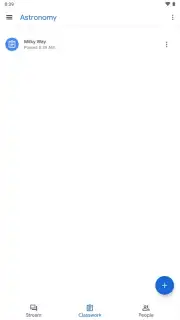
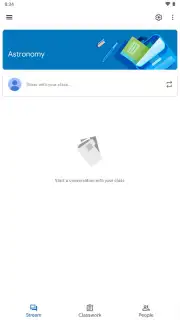
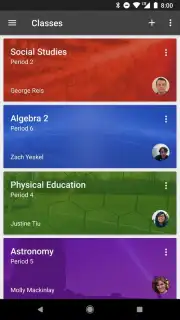
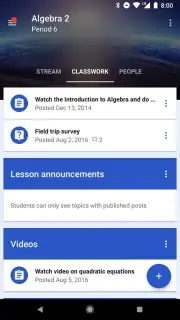
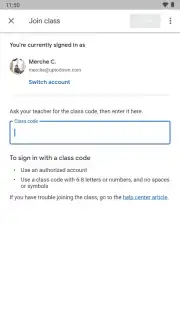
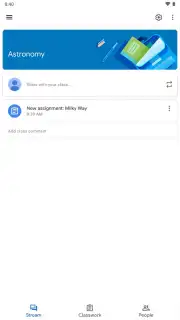
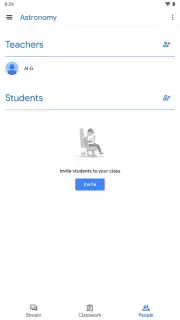
Say goodbye to scattered emails, lost handouts, and confusing deadlines. Google Classroom hands you complete control by letting you build distinct, virtual classes for every subject or group. Inviting students is a breeze—just share a simple code or email invite. Inside each class, a brilliantly intuitive layout awaits you, with dedicated tabs for announcements, classwork, grades, and people. This structure means you always know exactly where to find what you need, turning potential digital disarray into a model of efficiency and focus.
Create, Assign, and Grade with Unmatched Ease
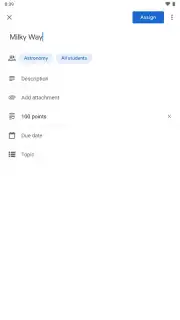
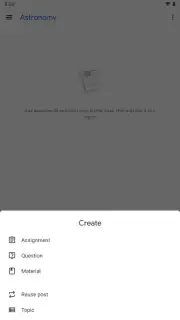
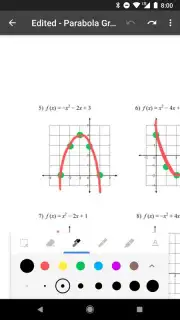
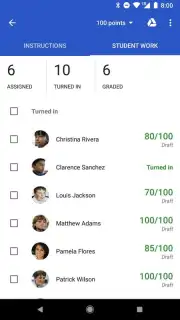
Feel the relief of managing coursework from anywhere. For educators, creating an assignment is a powerful and simple process. You can attach instructions, link directly to Google Docs, Slides, or Sheets, add PDFs, embed YouTube videos, and set precise due dates with just a few taps. Design work for individuals or foster teamwork with collaborative projects. Students receive instant notifications and can submit their completed work right from their phones, creating a truly fluid, paperless workflow. Grading becomes equally streamlined, with tools to provide direct feedback and return assignments digitally.
Foster Connection and Clear Communication
Learning thrives on interaction, and this platform builds a vibrant community. The Class Stream acts as a live bulletin board where teachers can post announcements, spark discussions, and answer questions in real time. Students can comment, ask for help, and support each other, making the virtual classroom feel alive and connected. For more private conversations, targeted comments on specific assignments allow for personalized guidance without clogging the main feed, ensuring every student feels heard and supported.
Deep Integration That Just Works
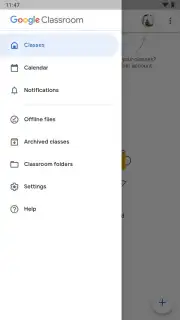
The true magic lies in how everything connects. Google Classroom isn’t an isolated tool; it’s the heart of a larger educational ecosystem. It works flawlessly with Google Drive for storage, Google Calendar for scheduling, and Gmail for communication. This deep integration means no more switching between apps or struggling with file formats—everything is synchronized and accessible in one unified, secure environment. It’s designed to save you time and eliminate technical friction, so you can focus entirely on the actual learning and teaching.
Here’s what you unlock when you make Google Classroom your educational hub:
- Centralized Class Management: Create self-contained virtual classrooms for every group, organized with intuitive tabs for materials, announcements, and people.
- Effortless Assignment Flow: Distribute tasks with rich attachments, set deadlines, and choose between individual or collaborative work in seconds.
- Mobile-First Submissions: Allow students to complete and turn in their work directly from their devices, with automatic deadline reminders and confirmations.
- Dynamic Communication Tools: Maintain an active class stream for announcements and group discussions, plus private comment threads for personalized feedback.
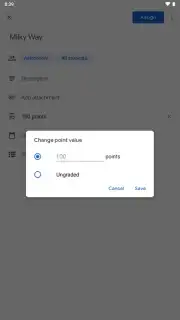
- Integrated Grading System: Review, grade, and return assignments digitally within the app, keeping all feedback tied directly to the student’s work.
- Seamless Google Workspace Connection: Enjoy native integration with Docs, Sheets, Slides, Drive, and Calendar for a completely unified productivity experience.
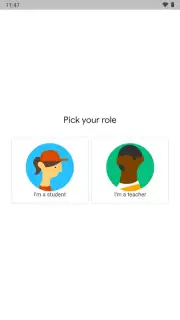
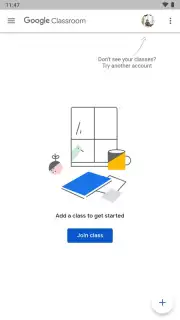
- Simple, Secure Access: Students join classes instantly via a unique code, and all data is protected within Google’s secure cloud infrastructure.
Don't just manage education—transform it. This is the tool that bridges the gap between teachers and students, creating a dynamic, organized, and supportive learning environment wherever you are. Stop juggling disconnected apps and embrace the platform that brings it all together.
Download Google Classroom now and experience the future of organized learning today!
Heads up: You’ll need a stable internet connection for full functionality and a Google account to get started. Some advanced features within the integrated Google Workspace apps may require additional subscriptions.
Information
| Version | classroom-bv1059-rc0002 |
| Developer | Google LLC |
| Requirements | Android Android + 4.0, 4.0.1, 4.0.2+ |
| Updated | 17.03.2026 |
| Size | 14.8 MB |
| Package | com.google.android.apps.classroom |
| Signature | a4770926c4edffeccf3bf094fb1fb88e,28ba4dd2085821df1d333dd9683d1903 |


