


Google Docs screenshots (15)

Description Google Docs
The Definitive Mobile Document Editor for Android
Google Docs for Android transforms your smartphone or tablet into a full-featured document workstation. This official app delivers the complete power of Google's cloud-based word processor directly to your pocket, enabling you to create, edit, and collaborate on text documents from anywhere. Seamless synchronization with your Google account provides instant access to your entire document library stored in the cloud, as well as any files shared with you by colleagues or collaborators. The interface allows for rapid switching between multiple accounts with a single tap on your profile picture, making it effortless to manage both personal and professional workspaces on a single device.
Master Your Document Workflow
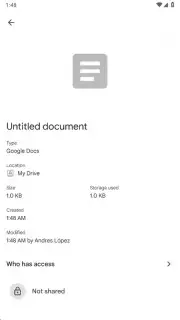
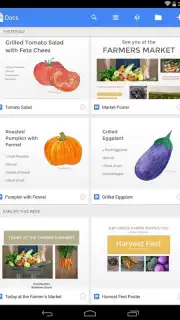
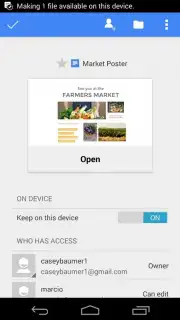
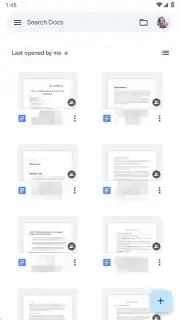
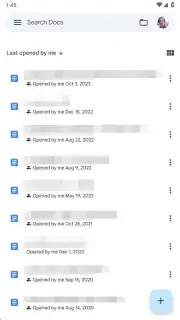
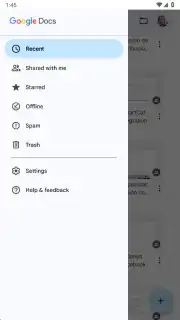
Upon launching Google Docs, you are presented with an intelligently organized dashboard of all your text documents. The default view prioritizes your most recently opened files for quick resumption of work, but you can instantly re-sort this list alphabetically by title or chronologically by last modified date. You have full control over the visual layout, toggling between a compact list view and a more visual tile/grid view. A dedicated "Shared with me" tab neatly aggregates every document you’ve been granted access to by others, and each file's details clearly display the owner and collaborators, providing essential context for team projects.
Create with Speed and Professional Polish
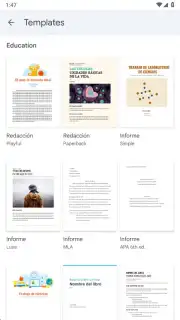
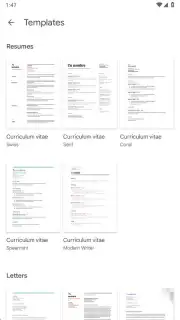
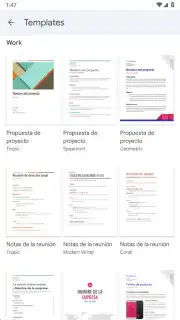
Initiating a new document is a matter of seconds. Tapping the prominent '+' button in the lower-right corner presents two powerful options: a blank page for freeform creation or a curated gallery of professional templates. This template library includes over 20 pre-formatted designs for resumes, formal business letters, informal correspondence, college reports, lecture notes, book reviews, project proposals, sign-up sheets, brochures, and more. Utilizing these templates eliminates formatting guesswork, providing a structurally sound starting point so you can focus solely on content.
Access a Comprehensive Desktop-Grade Editing Suite
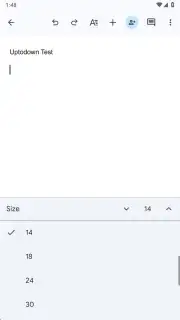
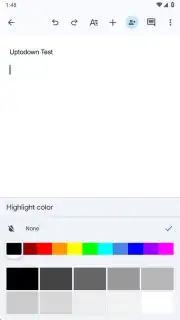
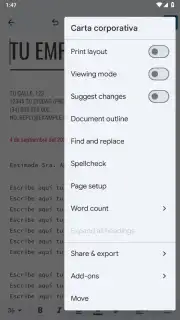
The mobile editing experience in Google Docs is functionally identical to its desktop and web counterparts. The toolbar grants precise control over text formatting, including a wide selection of font families and sizes, bold, italic, and underline styling, and highlighter colors. You can structure documents with various paragraph styles, insert and format tables, embed hyperlinks, and add images directly from your device or the web. The app supports comments and action items for real-time collaboration. Crucially, every single keystroke and edit is saved automatically to the cloud in real-time, ensuring zero data loss.
Export, Share, and Work Without Limits
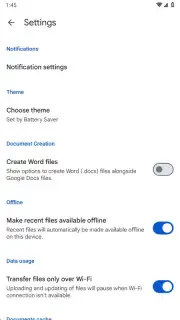
A standout feature is the robust export functionality. Once your document is complete, you can download or share it in multiple industry-standard formats: Microsoft Word (.docx), PDF, OpenDocument (.odt), Rich Text Format (.rtf), plain text (.txt), or as a web page (.html). Furthermore, the app provides full offline capability. You can enable offline access for specific documents, allowing you to view, edit, and create new content without an internet connection. Any changes made offline are automatically synchronized the moment your device reconnects, seamlessly merging your progress.
- Real-time cloud sync & auto-save
- Full offline editing capability
- Export to PDF, DOCX, and more
We strongly recommend installing Google Docs for Android if your work or studies involve any form of writing, editing, or collaboration. It is an indispensable tool for crafting everything from a simple note to a complex report, directly from your mobile device.
Download the Google Docs mobile app now to elevate your productivity.
Internet required for initial sync and collaboration. IAP available.
Information
| Version | 1.26.341.02.90 |
| Developer | Google LLC |
| Requirements | Android Android 10+ |
| Updated | 15.09.2026 |
| Size | 120.30 MB |
| Package | com.google.android.apps.docs.editors.docs |
| Signature | 24bb24c05e47e0aefa68a58a766179d9b613a600 |
| Architecture | arm64-v8a, armeabi-v7a, x86, x86_64 |


