


Google Fit screenshots (10)
Description Google Fit
A Closer Look at Google Fit’s Approach to Activity Tracking
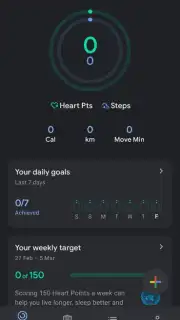
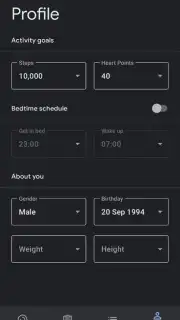
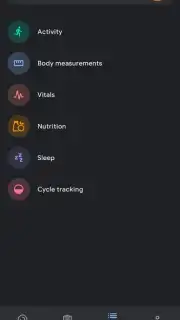
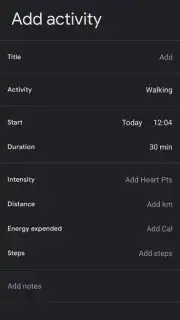
Many fitness applications overwhelm users with complex metrics and rigid programs from the outset. Google Fit takes a different path, positioning itself as a foundational health hub that aggregates activity from your daily life into a clear, visual narrative. Its core function is to automatically detect and log physical movement, translating everything from a lunchtime walk to a cycling commute into measurable progress toward personalized goals. The experience begins with a simple setup where you input basic biometrics, which the app uses not to judge, but to establish a baseline for understanding calorie expenditure and weight trends over time. This creates a passive, yet insightful, backdrop to your health journey.
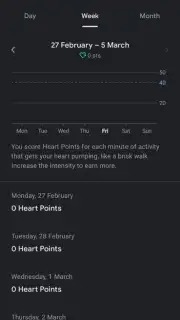
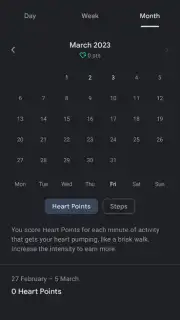
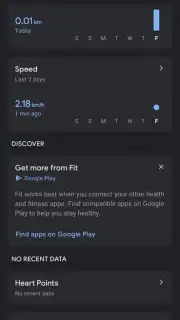
The application’s design philosophy emphasizes consistency over intensity. You manually set daily Heart Points and Move Minutes targets, which act as flexible benchmarks adaptable to any schedule. The true utility emerges in its silent monitoring; the app runs in the background, using your phone or connected wearable sensors to populate a timeline with recognized activities. This timeline becomes a factual record. If you’ve scheduled a workout but the timeline remains blank, the application provides a neutral, data-driven nudge, highlighting the discrepancy between intention and action. Furthermore, its strength is amplified through integration, functioning as a central repository that can pull data from a wide ecosystem of devices, including Android Wear smartwatches, and is also accessible for review via its companion website for a broader analytical view.
Core Functionalities and Integrations
- Automatic activity detection and logging for walks, runs, and cycling sessions.
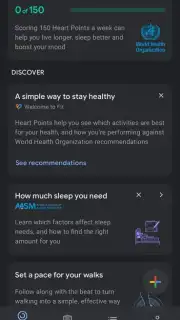
- Customizable daily and weekly goals based on Heart Points and Move Minutes.
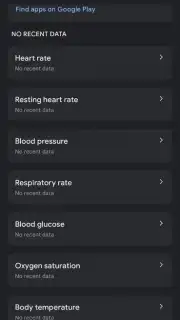
- Comprehensive dashboard visualizing all fitness metrics and historical trends.
- Seamless synchronization with Android Wear devices and the official web platform.
- Biometric tracking for weight management and calorie expenditure insights.
We suggest trying Google Fit if you seek a minimalist, automated foundation for your fitness tracking that prioritizes data aggregation and long-term trend visualization over social competition or complex planning.
Download the Google Fit mobile app now to establish your personal health baseline.
Disclaimer: This application requires an internet connection for full synchronization and data backup. It may offer in-app purchases for advanced features or integrations. Use of certain tracking features may impact battery life and data usage. Please consult the official app listing for specific age ratings and detailed data privacy practices.
Information
| Version | 2026.02.12.00.armeabi-v7a.release |
| Developer | Google Inc. |
| Requirements | Android Android + 6.0+ |
| Updated | 17.03.2026 |
| Size | 14.74 MB |
| Package | com.google.android.apps.fitness |
| Signature | d046fc5d1fc3cd0e57c5444097cd5449,0ea37f3786c8273287600bee47186c32 |
| Architecture | armeabi-v7a |





