


Google Gallery screenshots (7)


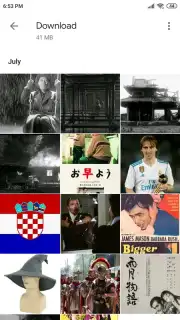
Description Google Gallery
Your Photos Are a Mess. This Tiny App From Google Cleans Them Up Instantly.
You know the feeling. You open your phone's gallery, and it's a chaotic mix of photos, videos, and screenshots from years ago. Finding that one picture feels like a digital treasure hunt. What if you had a dedicated, intelligent space just for your memories, one that works instantly without needing Wi-Fi or draining your battery? That's the promise of Google Gallery. This official, lightweight app from Google is built for one purpose: to bring effortless order to your visual library, directly on your device. It takes the core organizing power you might know from Google Photos and packages it into a tiny, offline-first experience designed for any Android phone, especially those where performance and storage space are precious.
A Lean, Mean, Organizing Machine
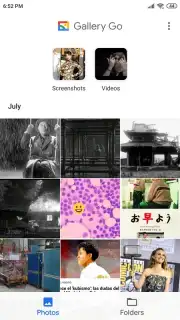
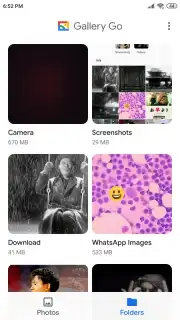
Google Gallery operates on a principle of elegant simplicity. From the moment you open it, the app gets to work silently in the background. It doesn't just dump all your files into one endless scroll. Instead, it automatically sorts your media into intuitive views: photos in one place, videos in another. You get a clear tab for all your camera roll content and a separate, structured view of everything organized by folders on your device. This happens locally, using on-device intelligence, so your private memories stay private and you can browse everything even on airplane mode. The app itself is remarkably small, taking up less than 10MB of space, proving that powerful tools don't need to be bloated.
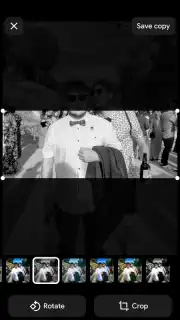
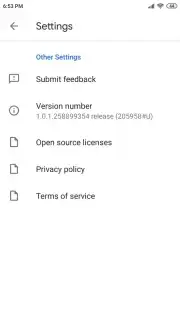
Beyond just viewing, Google Gallery includes a surprisingly capable editing suite for quick touch-ups. You’re not getting pro-level tools, but you are getting exactly what you need for daily fixes. Adjust lighting, fine-tune colors, or crop a photo for a better composition in just a few taps. A curated selection of filters lets you apply a consistent mood to your shots with one touch. For videos, the essential tool is there: a simple, fast trimmer to cut away unwanted beginnings and ends, making your clips ready to share in seconds. The entire interface can be set to a clean light theme or a battery-saving dark theme, adapting to your preference or your phone's system setting with a single toggle in the minimalist settings menu.
- Automatic Offline Organization: Your photos and videos are instantly sorted into clear, separate views and folders directly on your device, with no internet connection required.
- Lightweight Photo & Video Editor: Perform essential edits like cropping, color correction, and applying filters to images, and quickly trim video clips without complex software.
- Private On-Device Face Grouping: Uses built-in technology to find and group photos of people for easier browsing, all processed locally for your privacy.
Download Google Gallery Now
This isn't just another gallery app; it's the official Google solution for streamlined, offline media management. For a limited time, experience the optimized performance and clutter-free organization that turns your chaotic library into a curated collection. Exclusive access to this lean, powerful tool is just one tap away—get it today and transform how you interact with your memories.
Download the Google Gallery mobile app now.
Disclaimer: The application may require an internet connection for initial download and certain optional features. This product may contain in-app purchases.
Information
| Version | 1.9.2.712403868 release |
| Developer | Google Inc. |
| Requirements | Android Android + 8.0+ |
| Updated | 17.03.2026 |
| Size | 18.75 MB |
| Package | com.google.android.apps.photosgo |
| Signature | 1fc1d20f964159dee3f37fc163dff7be,3896bc6b8661036d6befbd56ee1e02d0 |
| Architecture | arm64-v8a |


