


Google Home screenshots (15)

Description Google Home
The Challenge of Managing a Disconnected Smart Home
A modern smart home often consists of devices from multiple manufacturers, each with its own proprietary app. This fragmentation creates a disjointed user experience, requiring you to switch between several applications to control lighting, climate, entertainment, and security. The core problem is the lack of a unified command center capable of integrating these disparate systems into a single, coherent interface for streamlined management and automation.
Full Review: Google Home App Analysis
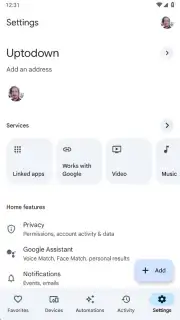
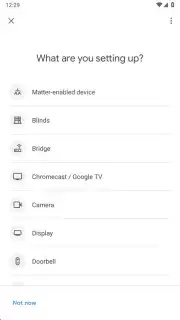
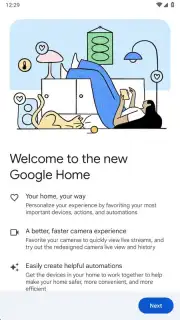
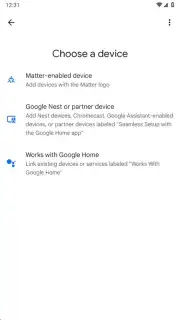
The Google Home mobile application serves as the central configuration hub and control panel for the Google ecosystem of smart devices and thousands of third-party compatible products. Its primary function is to unify device management, removing the necessity to interact with numerous individual manufacturer apps. The setup process is initiated by logging in with a Google account. While the app guides users to add a device during initial setup, this step is optional and can be completed later. Device integration is achieved through one of three standardized methods: scanning a Matter protocol logo, utilizing the Seamless Setup feature for compatible products, or manually selecting a device from the verified "Works with Google Home" catalog.
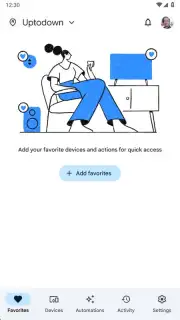
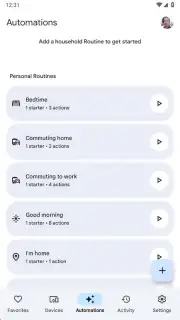
A central organizational tool within the app is the Favorites section. This feature allows for the manual curation of a primary control dashboard by pinning specific devices. This is particularly effective for high-frequency actions, such as adjusting smart bulb brightness or initiating playback on a speaker group, providing instant one-touch access upon opening the application. Beyond manual control, the app enables the creation of automated Routines. These are custom sequences of actions triggered by a predefined voice command issued to the Google Assistant. The scope of these automations is extensive, ranging from executing a multi-device "Goodnight" scene that locks doors and plays white noise, to activating an "Away" mode that adjusts thermostats and arms security cameras based on geolocation.
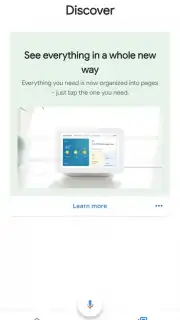
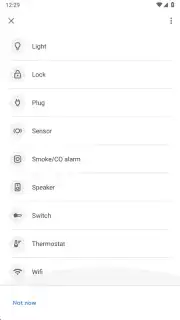
The utility of the application extends beyond local network control. Through remote access, users can interact with their home systems from any location with an internet connection. This functionality permits actions like viewing live feeds from security cameras while traveling, scheduling the activation of a climate control system prior to returning home, or receiving real-time alerts for detected motion. The interface is designed for transactional efficiency, consolidating control of diverse device categories—including smart displays like Google Nest Hub, streaming devices like Chromecast, lights, cameras, plugs, and thermostats—into a single, consistent panel.
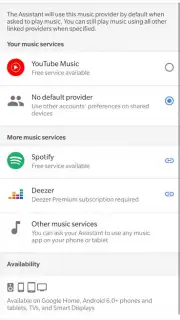
- Centralized Device Hub: Unifies control for Google Nest, Chromecast, and thousands of third-party smart lights, cameras, thermostats, and plugs in one interface.
- Flexible Setup Protocols: Supports adding devices via Matter standard scanning, Seamless Setup, or the official "Works with Google Home" product directory.
- Custom Favorites Dashboard: Enables creation of a personalized quick-access panel for one-touch control of frequently used devices and scenes.
- Advanced Automation Routines: Allows creation of custom voice-triggered sequences to automate multiple device actions based on time, command, or sensor input.
- Comprehensive Remote Management: Provides full control and monitoring of connected home devices from any location through a secure internet connection.
Start building your integrated and responsive smart home environment today. Download the Google Home mobile app now to centralize your control and claim your advantage now.
Disclaimer: This application requires a persistent internet connection for full functionality, including remote access and voice commands. It may involve in-app purchases or require compatible hardware devices sold separately. Use is subject to Google's Terms of Service. Data usage applies, and the app may collect device information for functionality and personalization. Please review the app's data practices before use. This product integrates with services that may have age restrictions.
Information
| Version | 4.11.56.1 |
| Developer | Google Inc. |
| Requirements | Android Android + 12L+ |
| Updated | 17.03.2026 |
| Size | 89.36 MB |
| Package | com.google.android.apps.chromecast.app |
| Signature | d046fc5d1fc3cd0e57c5444097cd5449,0ea37f3786c8273287600bee47186c32 |
| Architecture | armeabi-v7a, arm64-v8a, x86_64 |


