

Google Meet (Original) screenshots (8)




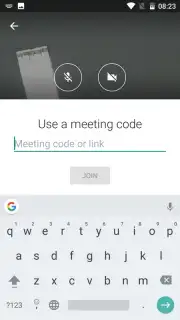

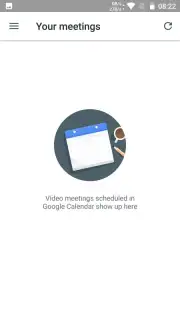

Description Google Meet (Original)
Looking for a video conferencing tool that integrates directly into your existing workflow without adding complexity? Google Meet provides a streamlined, professional-grade solution for hosting meetings with up to 30 participants, built on the infrastructure you likely already use.
Core Functionality and Integration
The application operates as an extension of Google's ecosystem, prioritizing calendar-based scheduling. Organizing a meeting is a procedural task: you create an event within the app's calendar interface, and participant invites are generated and distributed automatically. This direct integration means the tool often functions in the background; once installed, joining or starting a video call becomes a seamless action accessible from your schedule, minimizing the steps between intention and connection. The design philosophy centers on removing friction, making the technology itself feel secondary to the conversation.
Performance and Practical Use
Engineered for group discussions where physical meetings are impractical, Google Meet delivers stable, high-definition video quality essential for productive collaboration. The experience is devoid of advertising, creating an uninterrupted professional environment. The focus remains on core utility—reliable connectivity, clear audio, and a visual presentation that maintains detail even with multiple participants. It functions as a dedicated utility for planned meetings rather than spontaneous chats, aligning with structured work or group study sessions.
- Host meetings with up to 30 concurrent participants in a single video call.
- Direct calendar integration for one-tap joining and automated scheduling.
- Delivers high-definition video quality for clear, professional communication.
- Advertising-free interface designed for focused, uninterrupted meetings.
- Simplified workflow that minimizes setup time and technical overhead.
We suggest trying Google Meet if your priority is a no-fuss, reliable video conferencing tool deeply embedded within the Google ecosystem. Consider downloading it for structured team collaboration or remote learning sessions.
Heads up: you'll need wifi for most features. Some cool stuff is extra.
Information
| Version | 2024.06.23.645915839.Release |
| Developer | Google Inc. |
| Requirements | Android Android + 6.0+ |
| Updated | 17.03.2026 |
| Size | 29.27 MB |
| Package | com.google.android.apps.meetings |
| Signature | 6f24c5bc744187fc380cc672dd21c14c,807a8a512cdbc808549441fe896d02e2 |
| Architecture | armeabi-v7a |


