


Google Meet screenshots (16)












Description Google Meet
What makes a video calling app genuinely useful for daily communication?
Google Meet provides a robust, no-frills platform for video conferencing directly from an Android device. Its core function is to facilitate clear, stable calls with individuals or groups, but its integration within the Google ecosystem elevates it beyond a simple communication tool. The interface prioritizes function over flair, presenting a clean layout where initiating or joining a meeting requires minimal steps. This measured approach focuses on reliability and clarity, making it a practical choice for both spontaneous calls and scheduled professional meetings.
A detailed examination of its operational mechanics and features
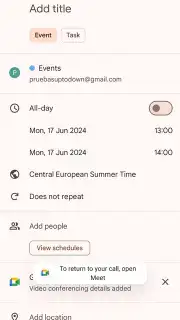
The application leverages your existing Google account as a primary credential, removing the typical friction of a separate registration process. This single sign-on system is central to its operation. Once authenticated, you can generate a new meeting link instantly from the main screen. This link can be shared via any messaging platform, allowing participants to join from virtually any device with a web browser or the Meet app, not just Android. For planned engagements, the app's deep integration with Google Calendar is a significant feature. Meetings can be scheduled directly within the Calendar app, with all details—time, duration, and the automatic video link—synced seamlessly. This creates a unified workflow for managing appointments.
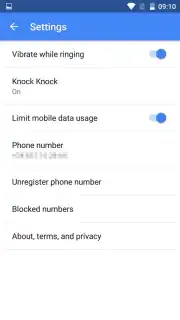
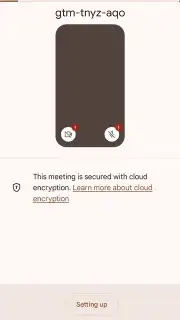
Privacy and user control are handled with granular settings. Before any call, the app requests explicit permissions for microphone and camera access. It may also ask for contact access to simplify inviting frequent collaborators, but this is optional. Google emphasizes security with end-to-end encryption for all meetings, ensuring that call content remains private. During a call, the interface offers standard controls for muting audio, turning video off, and screen sharing. Additional customization is available through features like virtual backgrounds, which allow you to replace your real environment with a selected image or a blurred effect, and the option to use a custom avatar instead of a live video feed, useful for low-bandwidth situations or desired anonymity.
- Frictionless access using your Google account for immediate use without separate registration or phone number verification.
- Instant meeting generation and streamlined link sharing to invite participants through any communication channel available.
- Direct scheduling and management integration with Google Calendar for organizing recurring or one-time video conferences.
- Configurable privacy with encrypted calls, virtual backgrounds, and avatar options to control your presence and environment.
- Clean, ad-free interface built for clarity during calls, supporting high-definition video and audio for multiple participants.
We suggest trying Google Meet for a streamlined and secure video conferencing experience directly integrated with your productivity tools. Consider downloading it to handle everything from quick team check-ins to structured client calls.
Internet required. IAP available.
Information
| Version | 350.0.880709068.duo.android_20260309.00_p0.s |
| Developer | Google LLC |
| Requirements | Android Android + 12L+ |
| Updated | 17.03.2026 |
| Size | 38.91 MB |
| Package | com.google.android.apps.tachyon |
| Signature | 3e6040d818dc64323ad5f9362e6b1059,0d7a4b81016f72937f165dfc9cb4432d |
| Architecture | armeabi-v7a |


