

Google Mobile Services (GMS) screenshots (5)

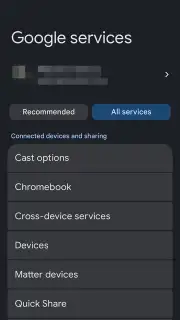
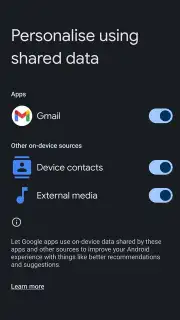
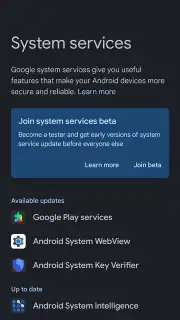
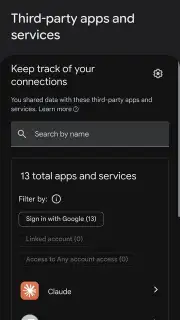
Description Google Mobile Services (GMS)
What is Google Mobile Services (GMS) and Why is it on Your Phone?
Have you ever wondered how your banking app instantly knows your device is secure for a transaction, or why some sensitive applications require a specific device status to function? This background security orchestration is managed by Google Mobile Services (GMS), a core system component for Android. It is not a typical app you open, but a foundational policy engine that operates silently. Its primary function is to maintain and validate a local cache of security integrity rules and sensitive permission controls, which are critical for applications that handle financial data, digital payments, or enterprise information. By providing a verified, up-to-date status check, GMS allows these trusted services to operate without imposing repetitive online authorization requests on the user, creating a seamless yet secure environment.
Core Functionality and System Integration
Google Mobile Services (GMS) acts as a dedicated sidecar service to Google Play Services, specializing in device attestation and policy management. When an application like Google Pay or your bank's mobile portal needs to confirm the device has not been rooted or otherwise compromised, it queries the local policy cache maintained by GMS. This cache is periodically and automatically updated in the background by Google Play Services, ensuring the security verdicts are current. This architecture is crucial for performance; it eliminates the latency that would occur if every app had to perform a full, live integrity check with remote servers for every operation, thereby accelerating secure transactions and access.
The application has no user interface because its entire operation is infrastructural. It is installed automatically on devices with official Google Mobile Services and appears in your application list as a discrete, small package. Its updates are bundled with Google Play Services updates, requiring no user intervention. While it can be disabled via advanced tools like ADB (Android Debug Bridge), doing so is strongly discouraged. Disabling GMS will likely cause failures in any application that depends on its security certifications, as those apps will be unable to verify the device's trusted state, potentially locking you out of payment services or secure corporate applications.
Detailed Feature Breakdown
- Manages Device Integrity & Security Policy Cache: Continuously stores and verifies rules to confirm your device is unmodified and safe for sensitive operations, serving as a local authority for security checks.
- Accelerates Secure App Functionality for Banking & Payments: Provides instant security status responses to financial applications, enabling fast, reliable transactions without constant online verification delays.
- Operates as a Background System Service with No Interface: Functions invisibly as a core Android component, receiving automatic updates and requiring no direct user interaction or management.
- Essential for Google Play Services' Advanced Security Protocols: Acts as a critical subordinate module that enforces access controls and permission policies based on the real-time status of your device.
- Enables Robust Data Protection for Sensitive Applications: Facilitates strict control over which apps can access confidential data by enforcing device-based restrictions and integrity validations.
Download the Google Mobile Services (GMS) mobile app now to ensure your device's security framework is complete and fully functional for all trusted applications.
Heads up: you'll need wifi for automatic background updates from Google Play Services. Some core system functions require this module to be active and intact.
Information
| Version | 251330800025.748366938.748366938 |
| Developer | |
| Requirements | Android Android + 9+ |
| Updated | 17.03.2026 |
| Size | 28.17 MB |
| Package | com.google.android.gms.policy_sidecar_aps |
| Signature | ba5ce719f3298a9805eccd9e47575a23 |
| Architecture | armeabi-v7a, arm64-v8a |


